Tear or Dear
| Name | Tear or Dear |
|---|---|
| Hint | Find the username and password and put them in the flag in the format HTB{username:password}. Warning: It can produce false positives. |
| Difficulty | Easy - Retired [0] |
| Rated difficulty |  |
| First blood | alamot |
| Creator | Thiseas |
Happy joy! A Windows executable file for this challenge...
Can you hear the sarcasm coming through?
Let's do this one strictly in Windows using dnSpy. Always good to have a broad knowledge of the different tools. On cursory glance, it looks like the button1_Click function compares this.o and this.check1 to ensure the credentials are correct, and it is a strict check. That means both values are going to be in memory for the check.
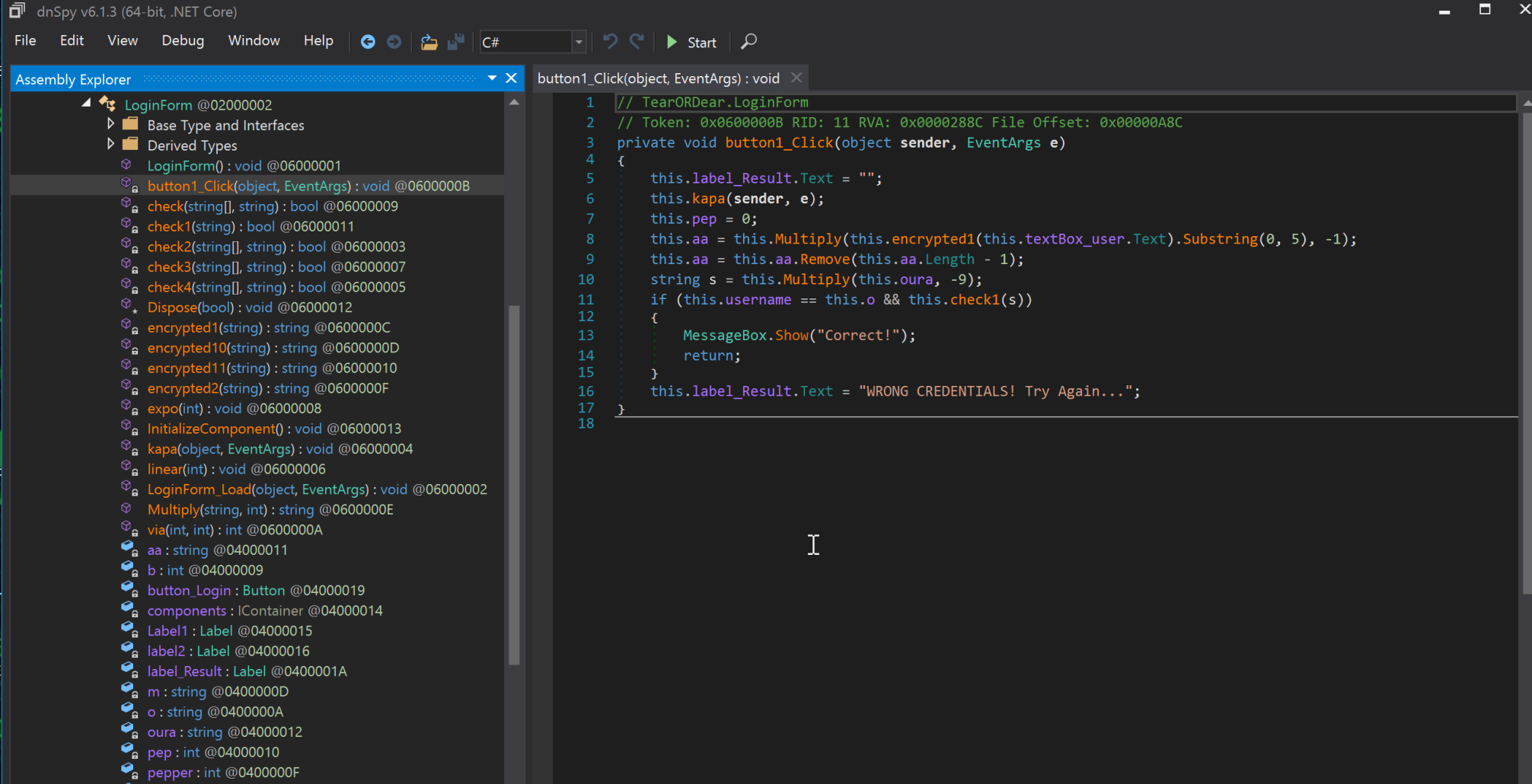
Let's set a breakpoint at that if function and check memory. I initially tried to debug this in dnSpy x64 instead of x86, then fixed that. I set the breakpoint, ran the program, and entered a for the username and b for the password. Adding watches shows that this.check1 cannot be watched, but this.o has the value roiw!@#. Why can't we watch this.check1? Because it is function logic rather than a variable. Let's follow its logic path.

Following the program logic through this.check1(s) to this.check, we see that the variable is actually this.aa. Grabbing its value lets us start building the flag.
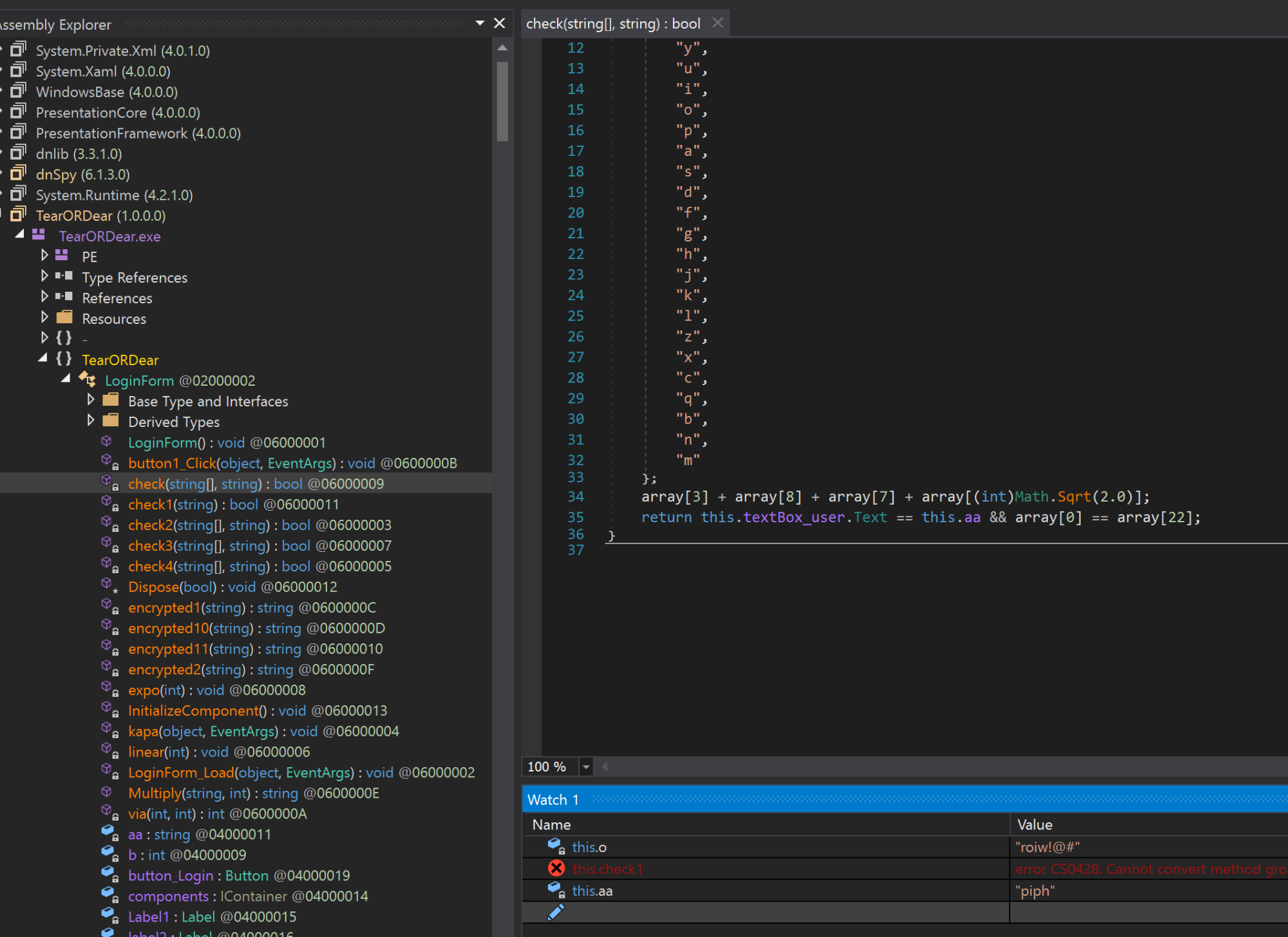
To verify, we try username roiw!@# and password piph. That fails, so we switch the order. Success! We are greeted with the Correct message.
HTB{piph:roiw!@#}