
Logger
| Name | Logger |
|---|---|
| Hint | A client reported that a PC might have been infected, as it's running slow. We've collected all the evidence from the suspect workstation, and found a suspicious trace of USB traffic. Can you identify the compromised data? |
| Base Points | Easy - Retired [0] |
| Rated Difficulty |  |
 | HTB-Bot  |
| Creator | felamos  |
Download and unzip the challenge archive. The supplied file is keystrokes.pcapng.
Open the PCAP Next Generation file in Wireshark. Apply the following filter to isolate the relevant USB interrupt traffic:
usb.transfer_type == 0x01 and frame.len == 35 and !(usb.capdata == 00:00:00:00:00:00:00:00)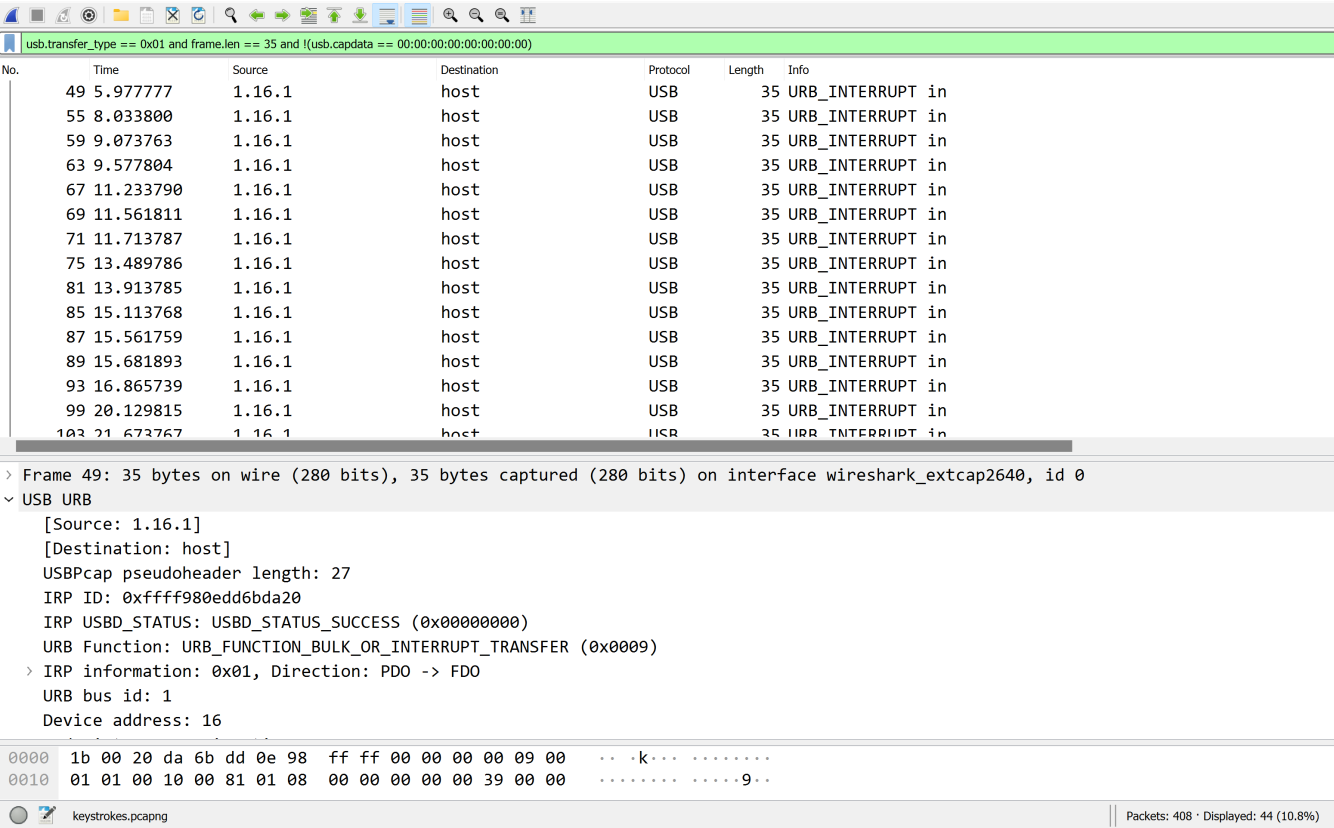
Export the filtered packets to a new PCAPNG file. We can then use tshark to extract the USB capture data into a text file:
tshark -r USB.pcapng -T fields -e usb.capdata | sed 's//:&/g2' > capdata.txt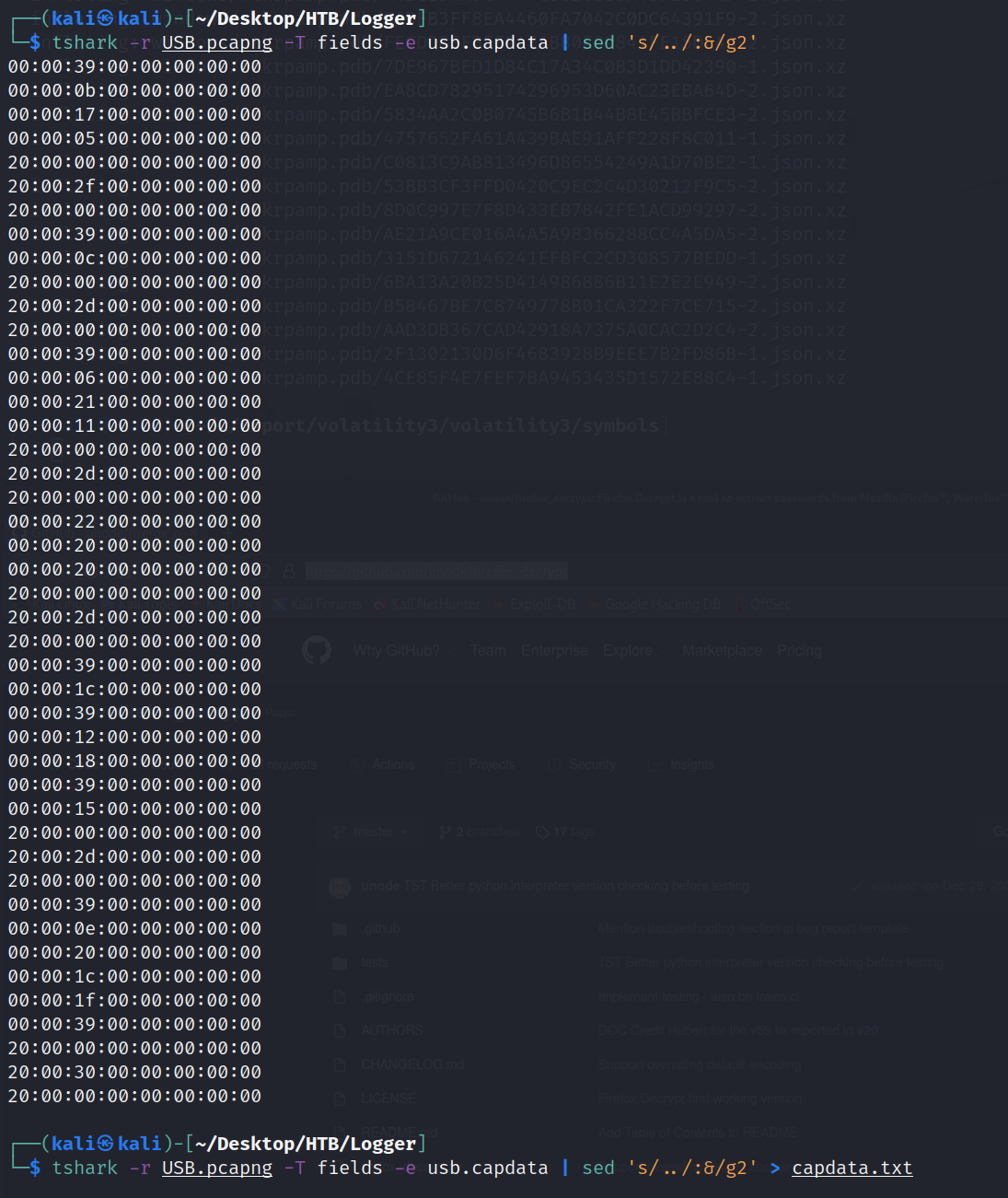
Now we need to map the capture data to keystrokes. A Python script in the ctf-usb-keyboard-parser repository will do this for us.
┌──(kali㉿kali)-[~/Desktop/HTB/Logger/ctf-usb-keyboard-parser]
└─$ python3 usbkeyboard.py /capdata.txt
⇪htb{⇪i_⇪c4n_533_⇪y⇪ou⇪r_⇪k3y2⇪}
The ⇪ symbols represent Caps Lock. Decoding the capitalization produces the flag:
HTB{i_C4N_533_yOUr_K3Y2}