Find the Easy Pass
| Name | Find the Easy Pass |
|---|---|
| Hint | Find the password (say PASS) and enter the flag in the form HTB{PASS} |
| Base Points | Easy - Retired [0] |
| Rated Difficulty |  |
 | alamot  |
| Creator | Thiseas  |
We start this one out with an EXE file. Running file on it shows that it is a PE32 executable for Windows. When we try to execute it, we are asked for a password. I am starting to really like Ghidra, so let's crack it open in there. This is a lot of code for an easy challenge. We need to find the function that is called when the Check Password button is clicked. We can follow the progression in the Function Graph window of Ghidra.
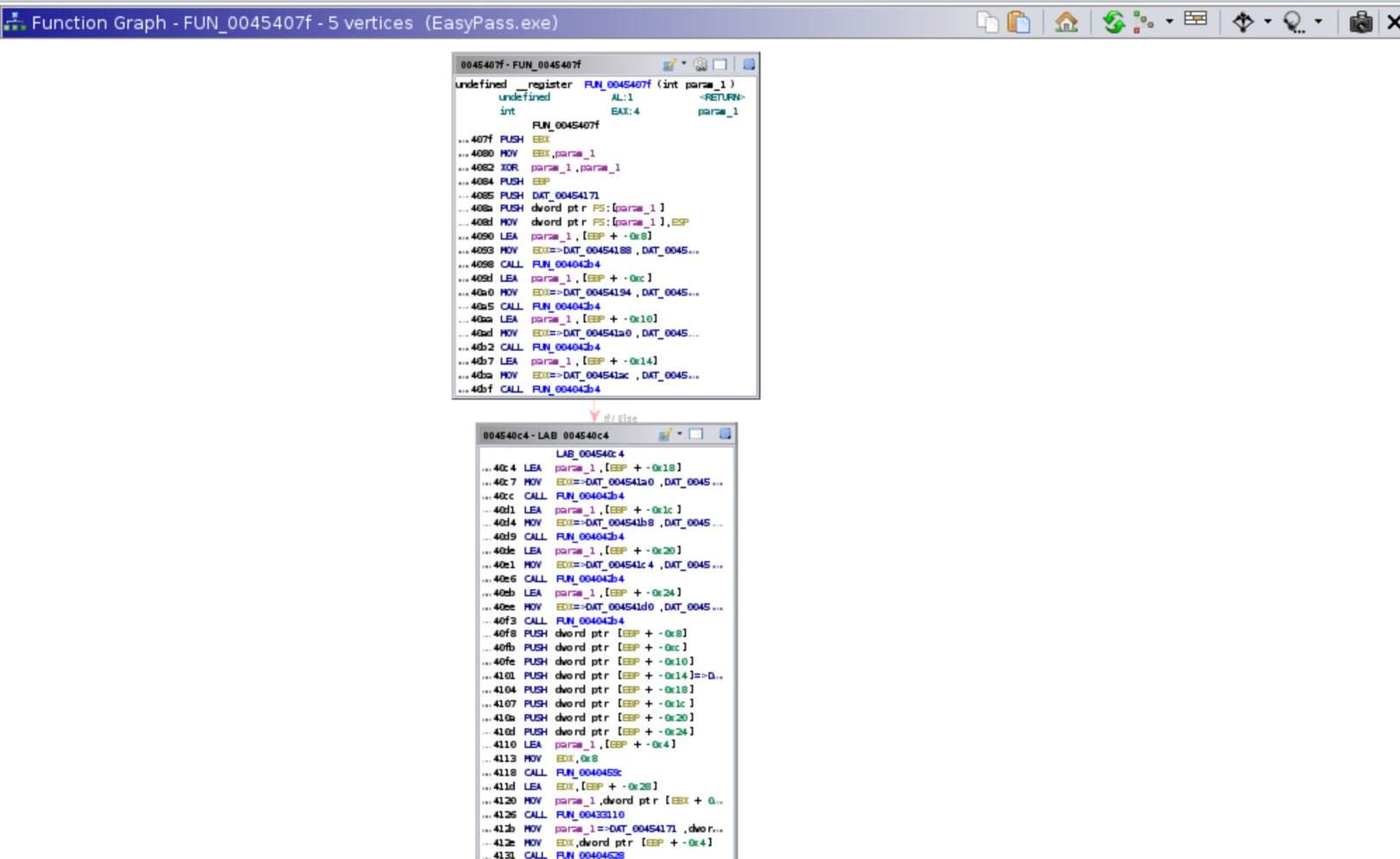
We are looking for anything button-click related. In Defined Strings, I look for the “Wrong Password” popup.
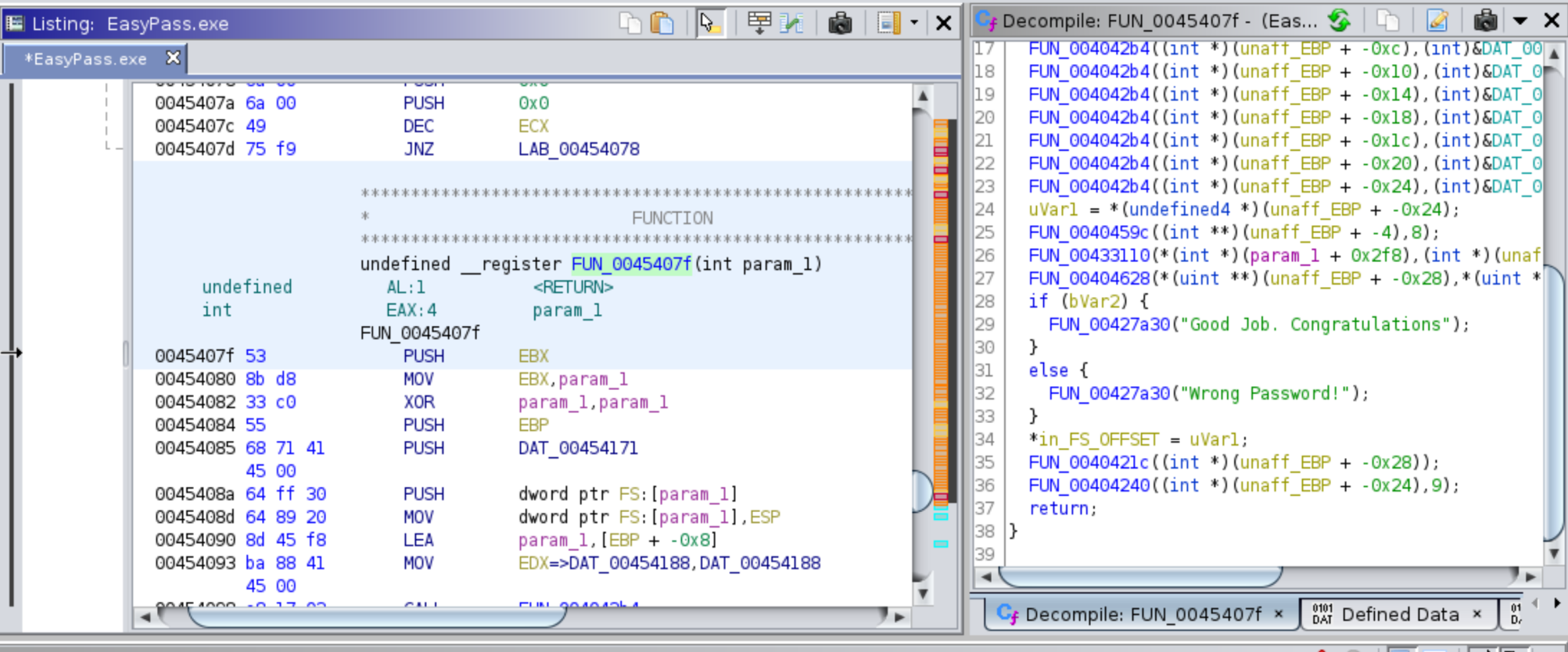
Now that we know the password-check function, we can look for it in the Function Graph. What we find is a function call to FUN_00454138 that displays the success message. The next question is which part of the check function calls it.
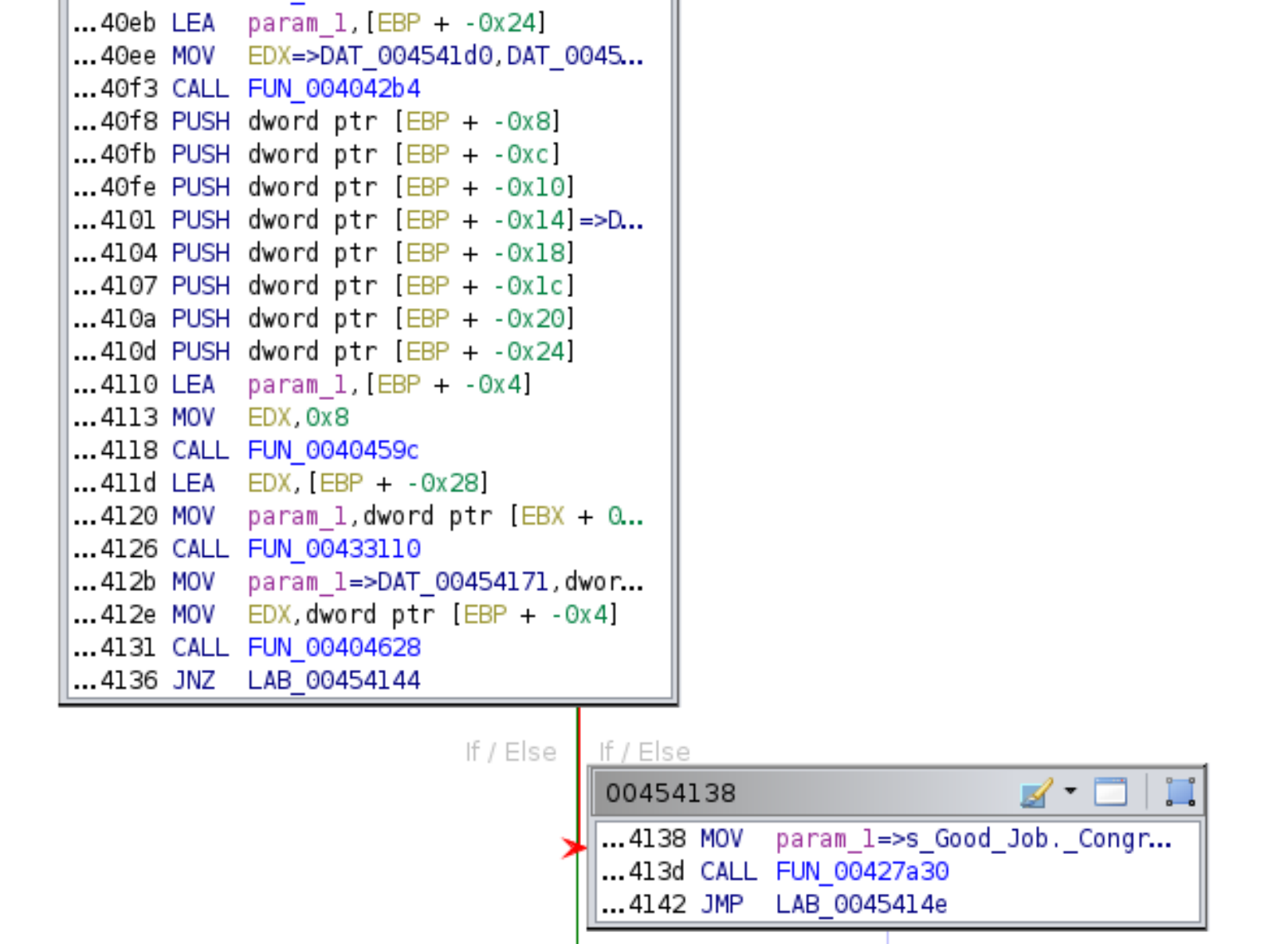
Digging further shows the location is LAB_00454144. Examining the function immediately before it, FUN_00404628, lets us determine what EDX is pointing to. I set a breakpoint at LAB_00454131, the address of FUN_00404628.
Ghidra did not have a debugger at the time of this writing, so I switched to x64dbg for the remainder. Once the breakpoint is set, run the program and click the Check Password button. EDX holds the flag.
HTB{fortran!}